Zoho
The suiteWhy people buy it: Cheap, trusted, native e-invoicing and e-way bills
Where it stops: Stock, accounts and staff live in separate apps. You can't see staff and stock on one screen.
Case study · Product design · B2B SaaS · ERP for Indian SMEs
Quorum is an ERP for Indian small businesses. It runs procurement, inventory, orders, bookings and approvals in one product. I designed it end to end, from competitor research to the full app and its marketing website, for mobile, tablet and desktop.
The dashboard, desktop and phone
modules mapped in the information architecture
app screens and states designed
for every screen: mobile, tablet, desktop
marketing website pages
Indian SMEs run goods and services on separate tools. A salon that sells shampoo, or a detailer that buys wax, needs two or three apps that don't talk to each other.
One product with a shared shell. Fast floating screens for data entry, a dashboard that flags work and clears routine approvals in one tap, AI docked beside the work, and onboarding that asks only six questions.
Eight modules designed across three breakpoints, plus the marketing website, handed off to development. The founders called it “extremely high quality output”.
Worked directly with the client's founders
Research, IA, flows, UI, website
01 · Context
The client gave me a product requirements document and a functional spec. The PRD said it plainly: change the flows and modules wherever that makes the product easier to use.
Most SME tools pick a side: goods (stock, POs, GST) or services (staff, rooms, time slots). Many Indian businesses are both.
One business, one branch. Lands straight on their dashboard.
Branches or subsidiaries. Needs a combined view and a quick way into each entity.
Runs the platform: onboards clients, sets plans, handles billing and support.
Role-based on top of all three. Every client assigns roles to their users, so each screen also has to work when parts of it are hidden or read-only.
02 · Research & principles
I reviewed the tools these businesses already use, in two groups: goods tools and booking tools. For each, I noted why people buy it and where it stops being useful.
Why people buy it: Cheap, trusted, native e-invoicing and e-way bills
Where it stops: Stock, accounts and staff live in separate apps. You can't see staff and stock on one screen.
Why people buy it: Customisable, handles manufacturing and multi-company
Where it stops: Pay per app and often a consultant to set it up. Master-detail navigation means a page load for every record.
Why people buy it: Strong bill of materials and batch tracking
Where it stops: Treats labour as a cost, not a bookable service. Dated interface.
Why people buy it: Best-in-class approvals and 3-way matching
Where it stops: Procurement only, priced for enterprise. You still need another tool to sell.
Why people buy it: Zero learning curve, perfect calendar sync
Where it stops: No back office. It can't deduct stock or raise a GST invoice.
Why people buy it: Visual staff and slot picking, deposits
Where it stops: “Extras” isn't inventory. There are no batches or POs for products used in a service.
Why people buy it: Visit history and strong no-show reminders
Where it stops: Schedules people only. It can't require staff, a room and a machine together.
Ratings from my teardown, on a four-step scale from basic data entry to best-in-class.
| Capability | Precoro | Coupa | Zoho | Odoo | Kladana |
|---|---|---|---|---|---|
| Procurement | |||||
| Inventory | |||||
| Sales channels | None | None | |||
| Service booking | No | No | Separate app | Separate app | No |
| Indian compliance |
Goods and services in one product, native marketplace sync, and asking the data questions instead of learning menus.
No track record against Zoho, rivals that start at $0–$10 a month, and frequent GST rule changes.
Each comes from a competitor gap or a line in the brief. The decisions in chapter 05 refer back to them.
From: Zoho's split apps and Trafft's missing inventory. A salon owner shouldn't open two tools to see who's free and what's in stock.
From: Odoo's click, load, back pattern. Purchase and sales teams key in dozens of documents a day.
From: Approvals carry money. Routine items should take one tap, but anything that needs a closer look belongs on a screen built for checking.
From: The PRD. AI chat opens at the side, not floating, so people can keep using the tool while they ask.
From: Odoo's consultant-led setup. Get owners to a working dashboard first and configure modules when they're opened.
03 · Information architecture
Research mapped ten modules. I grouped them by the job the owner is doing, so the final sidebar has eight sections: watch the business, buy and stock, sell and serve, then insight and control.
The sidebar · eight sections and their pages
6 required questions, then optional module setup.
Tenants, plans and feature flags, logs, impersonation.
Watch
Buy & stock
Sell & serve
Insight & control
Opens as a floating panel over its listBuy & stockSell & serveInsight & control
The hybrid model works because every module writes to one stock record. This is the data path behind P1.
04 · Key flows
The longest chain in the product crosses five roles and the system. Read it top to bottom: each column is a role, so you can see exactly where work changes hands.
Six steps, six panels, laid out as one board in the order the flow runs (1, 3 and 5 on the left; 2, 4 and 6 on the right). Point at a panel, or at its step underneath, to light it up.
Procure to pay · steps 1–6
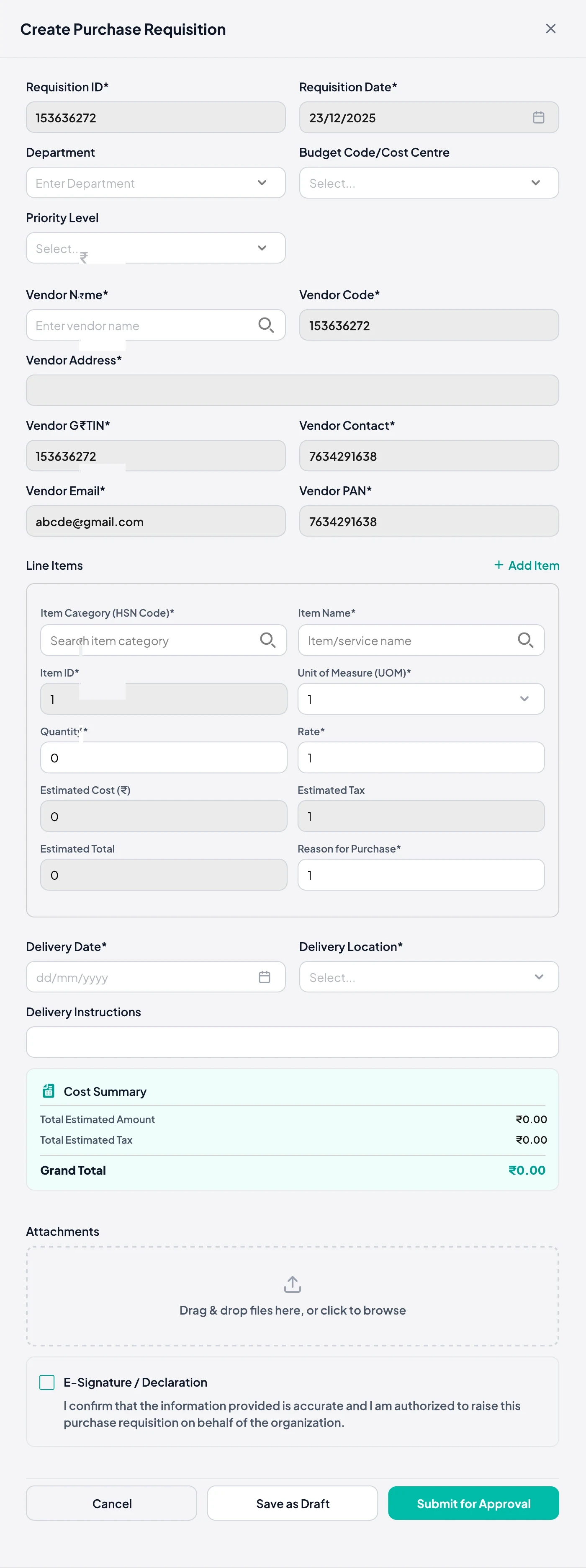
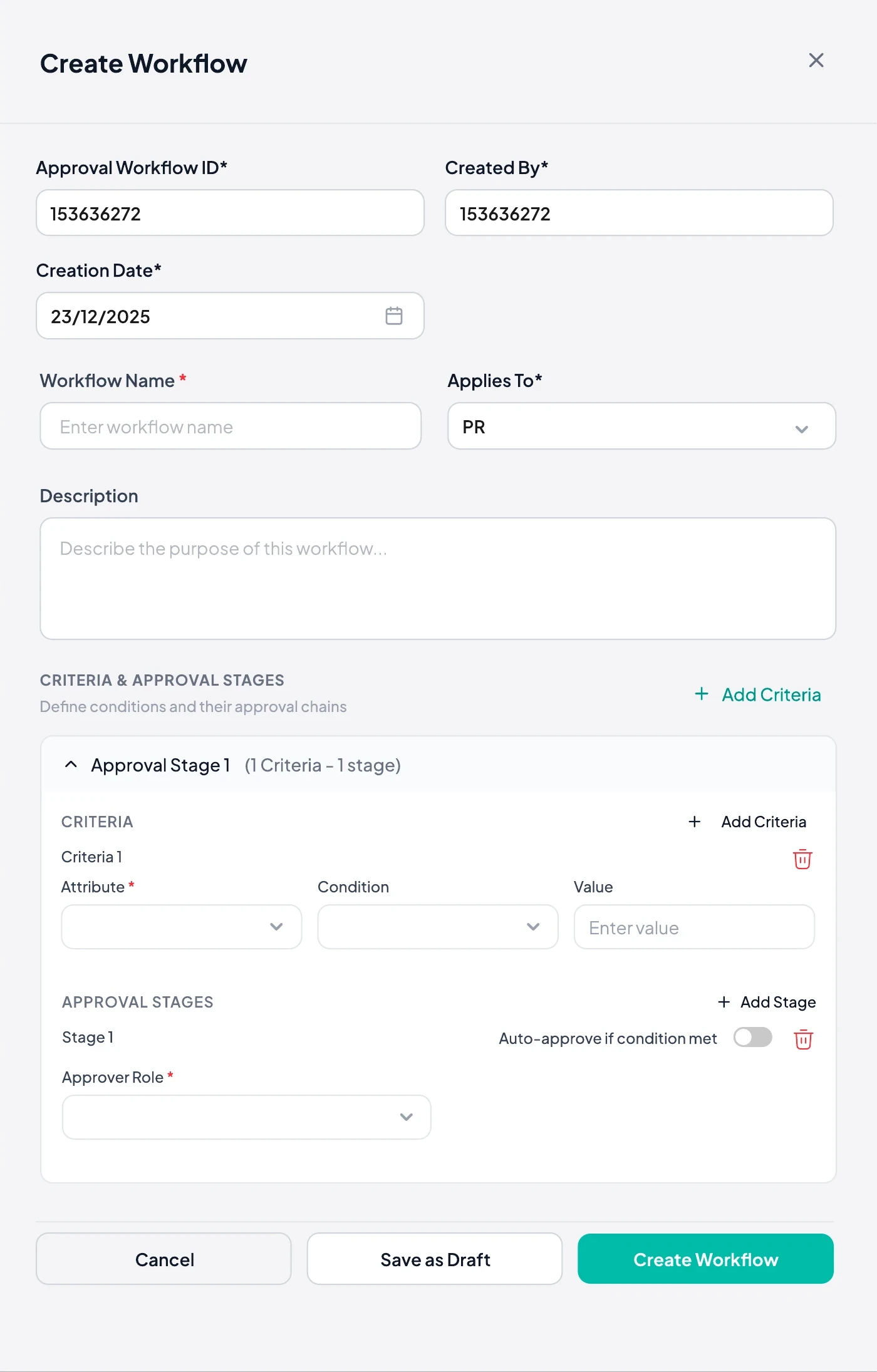
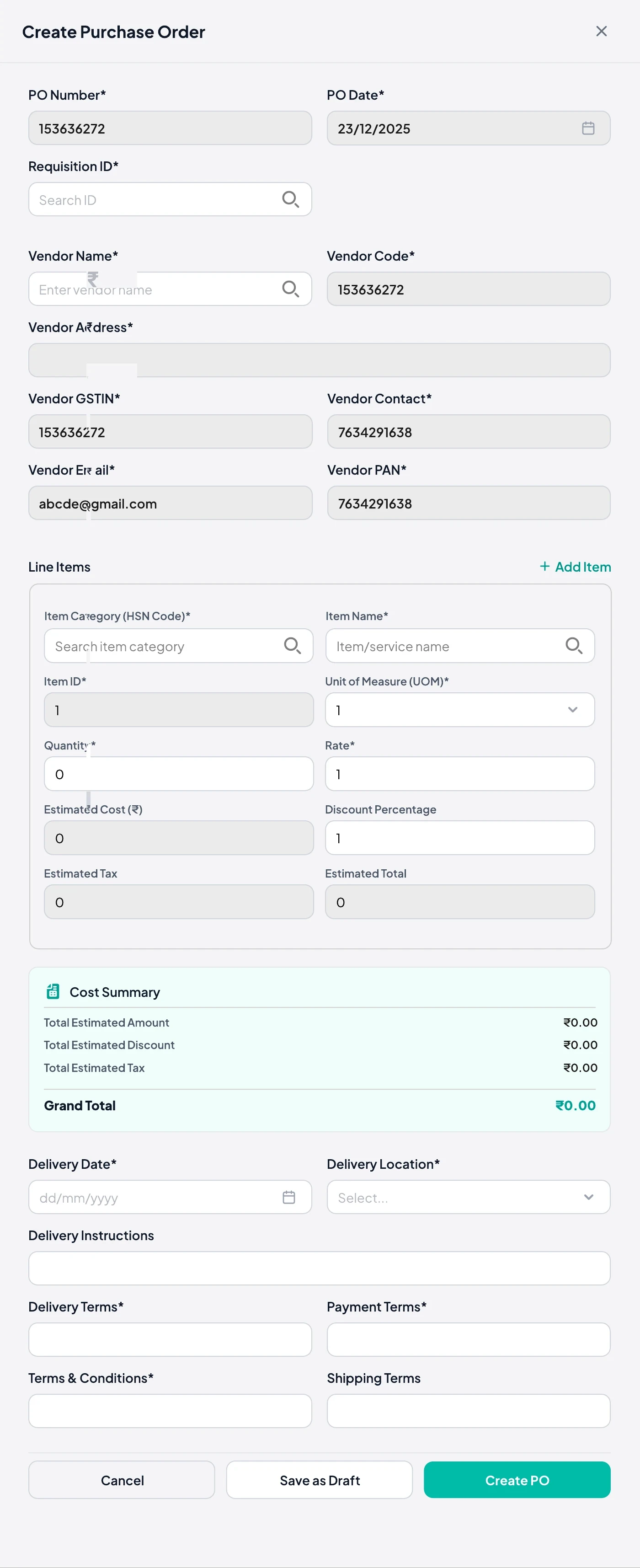
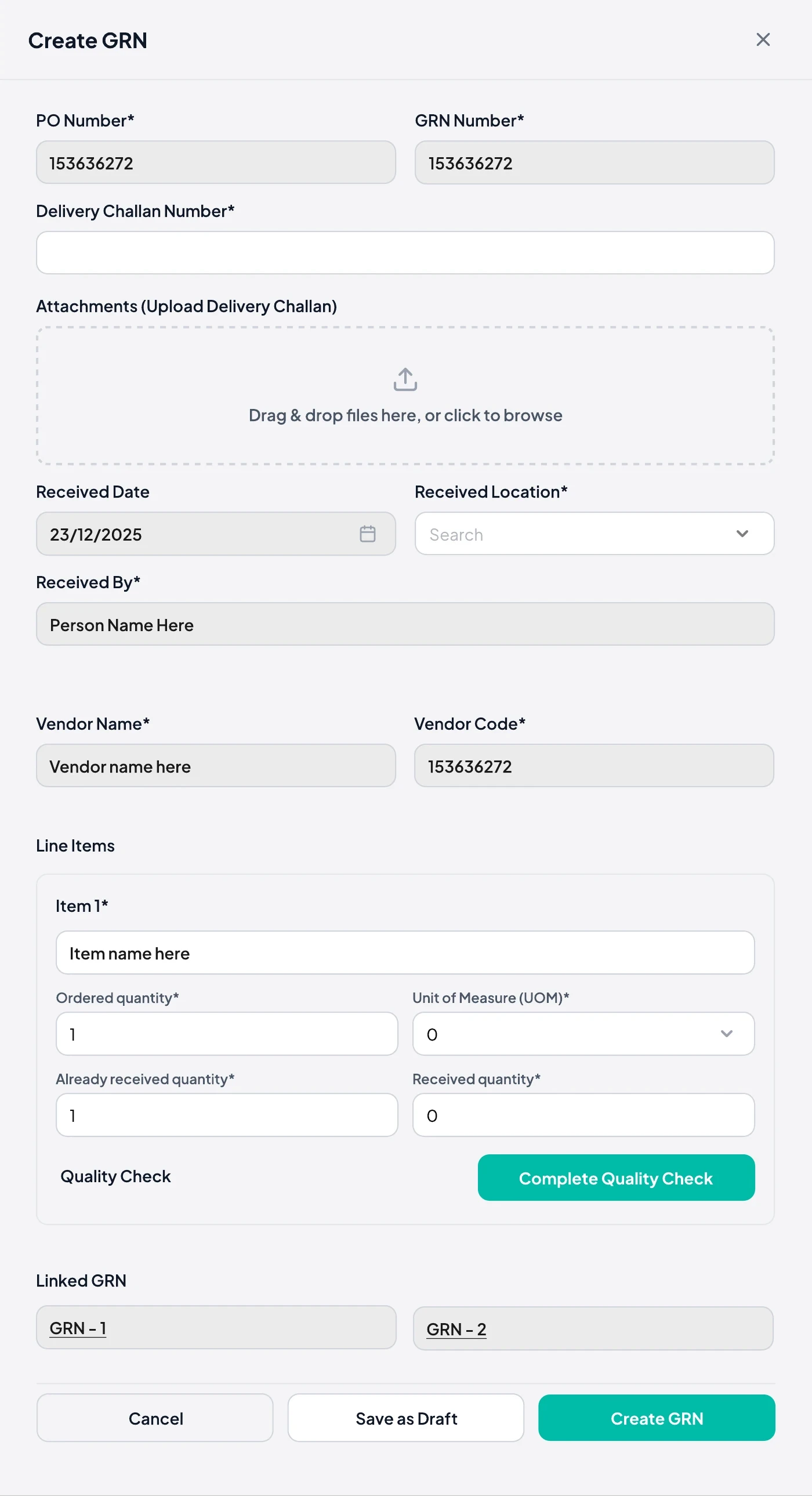
Trial users, buyers and returning users start differently. Two checks decide where each one lands, so nobody sees a wizard they don't need.
05 · Design decisions
Decision
Master-detail navigation reloads the page for every record. Teams lose their place in long lists.
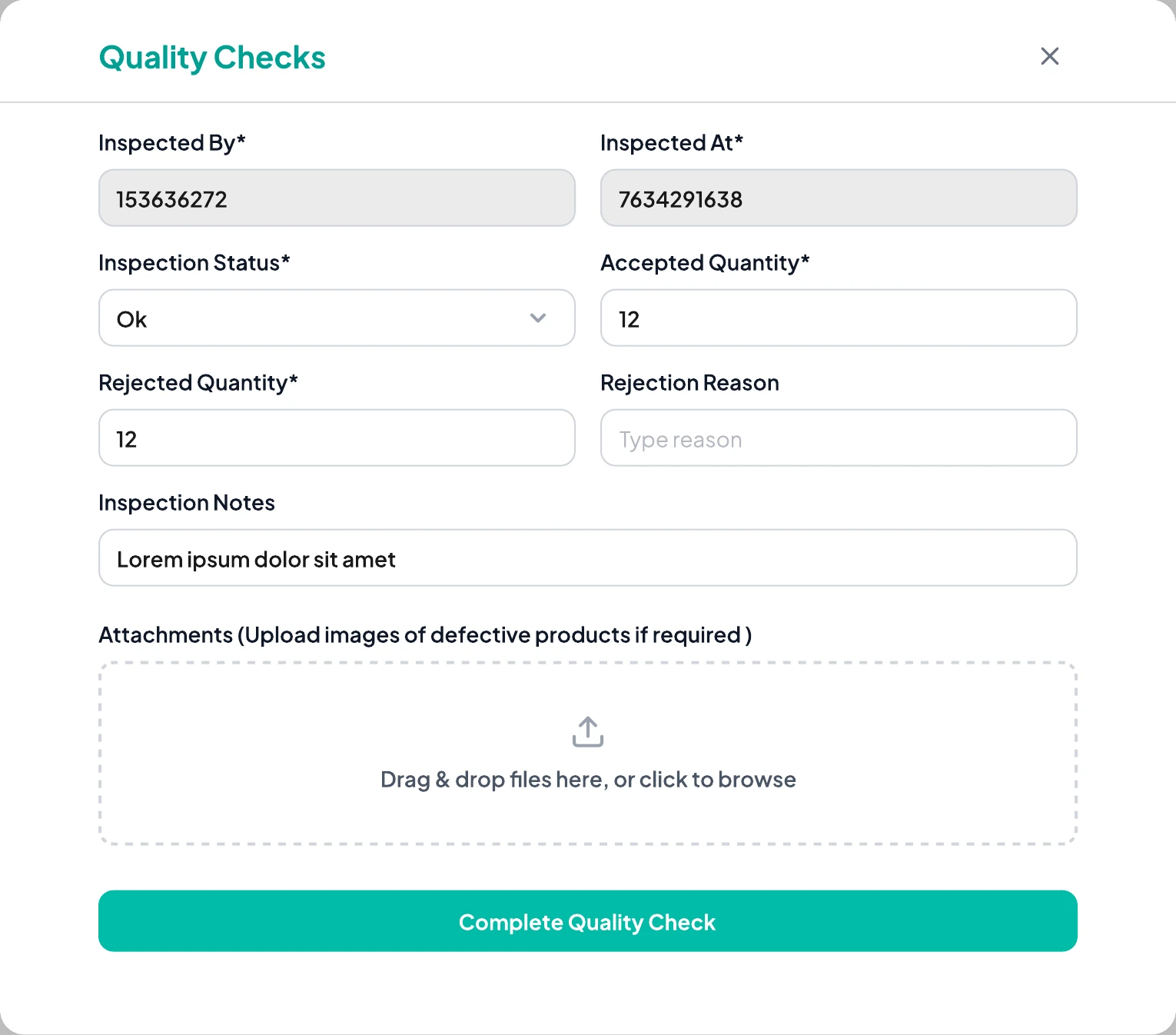
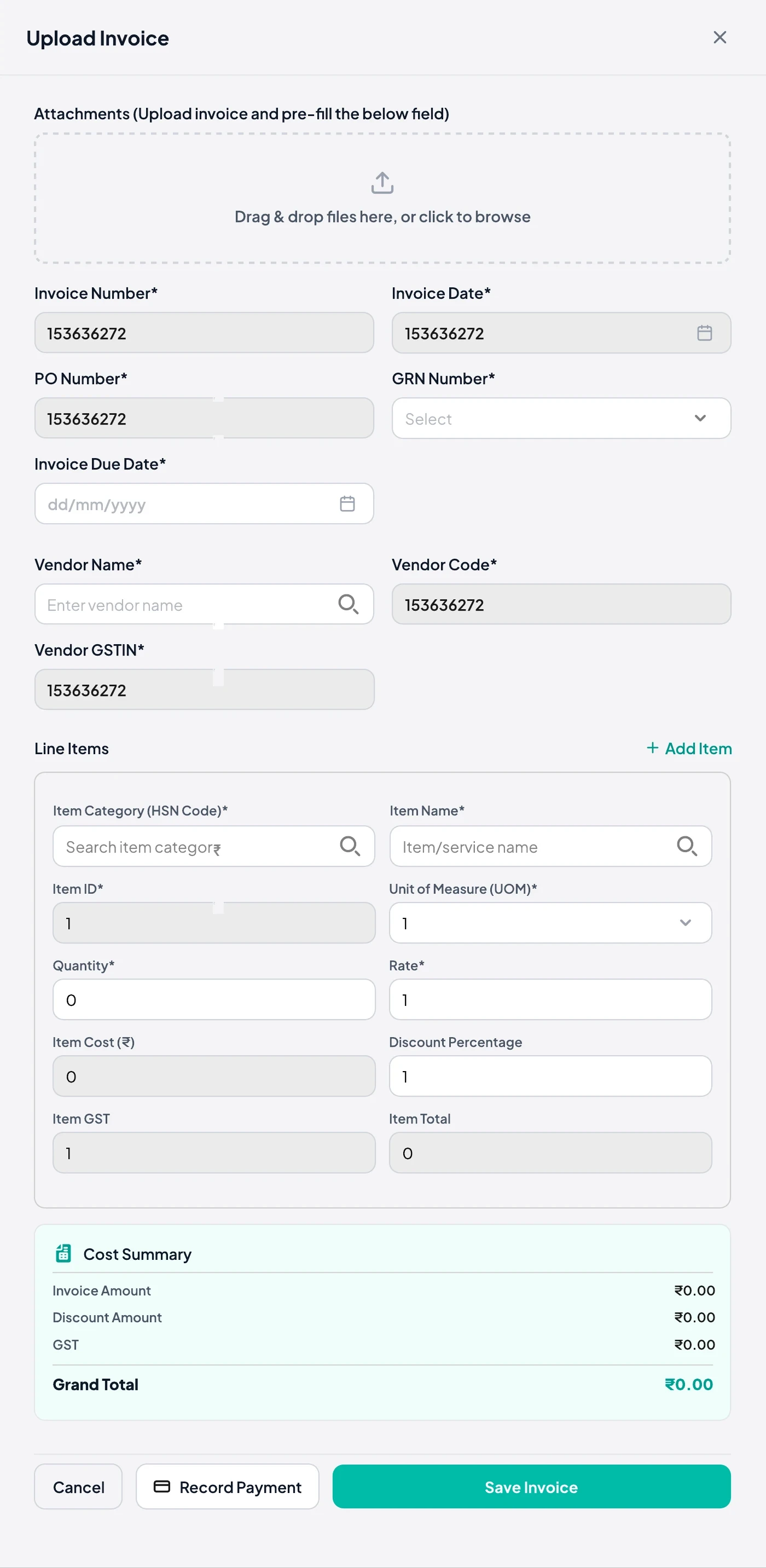
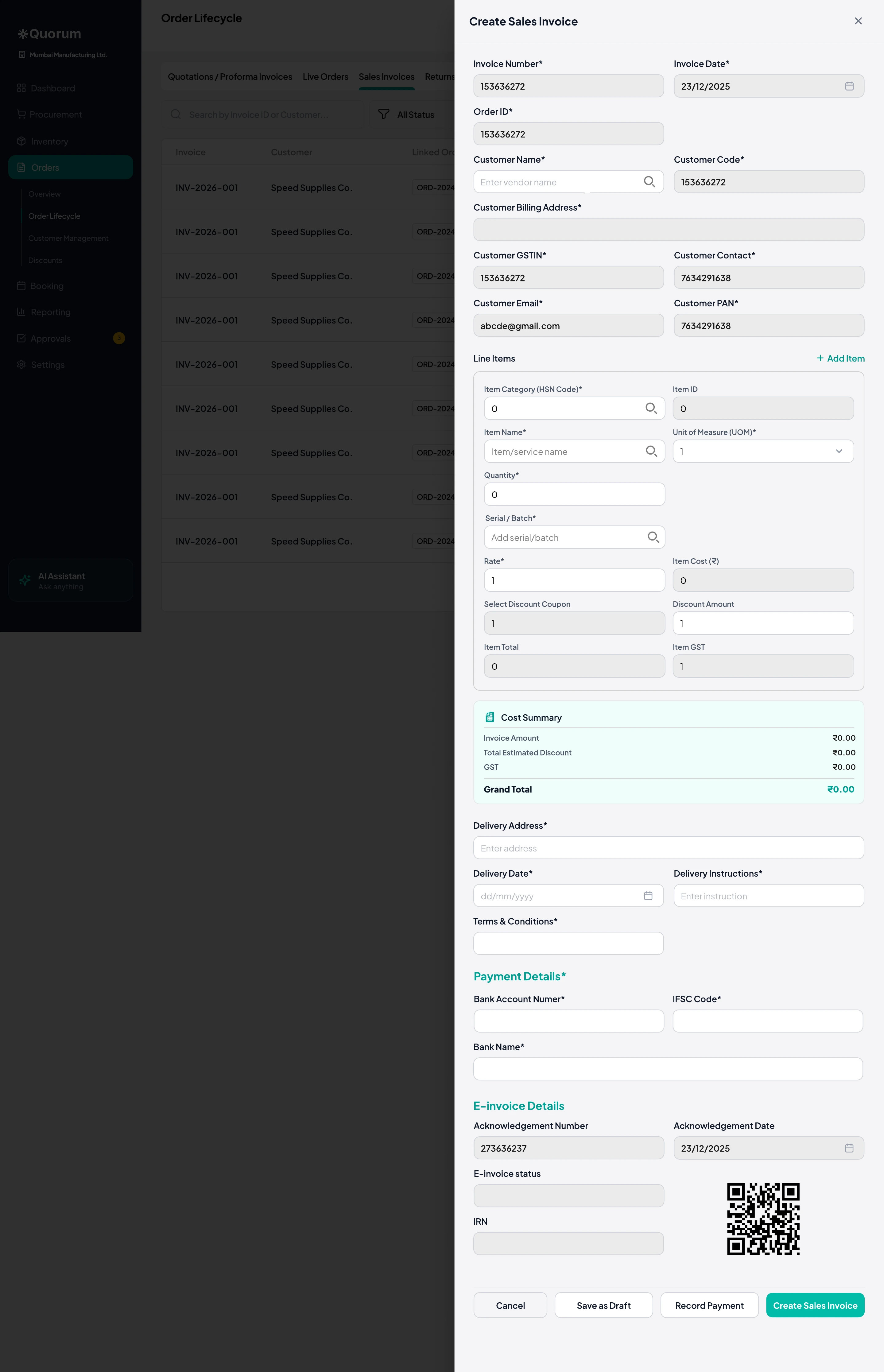
Forms slide in over the list as a panel. The list stays visible behind, and closing returns you to the same row.
Every record is a new page. Coming back reloads the list and loses your filters and place.
The list stays behind a panel. Close it and you're on the same row, ready for the next entry.
Wireframes redrawn for this case study to show the two patterns I compared, using Odoo's master-detail flow from my research as option A.
 Sneak peek
 Sneak peek
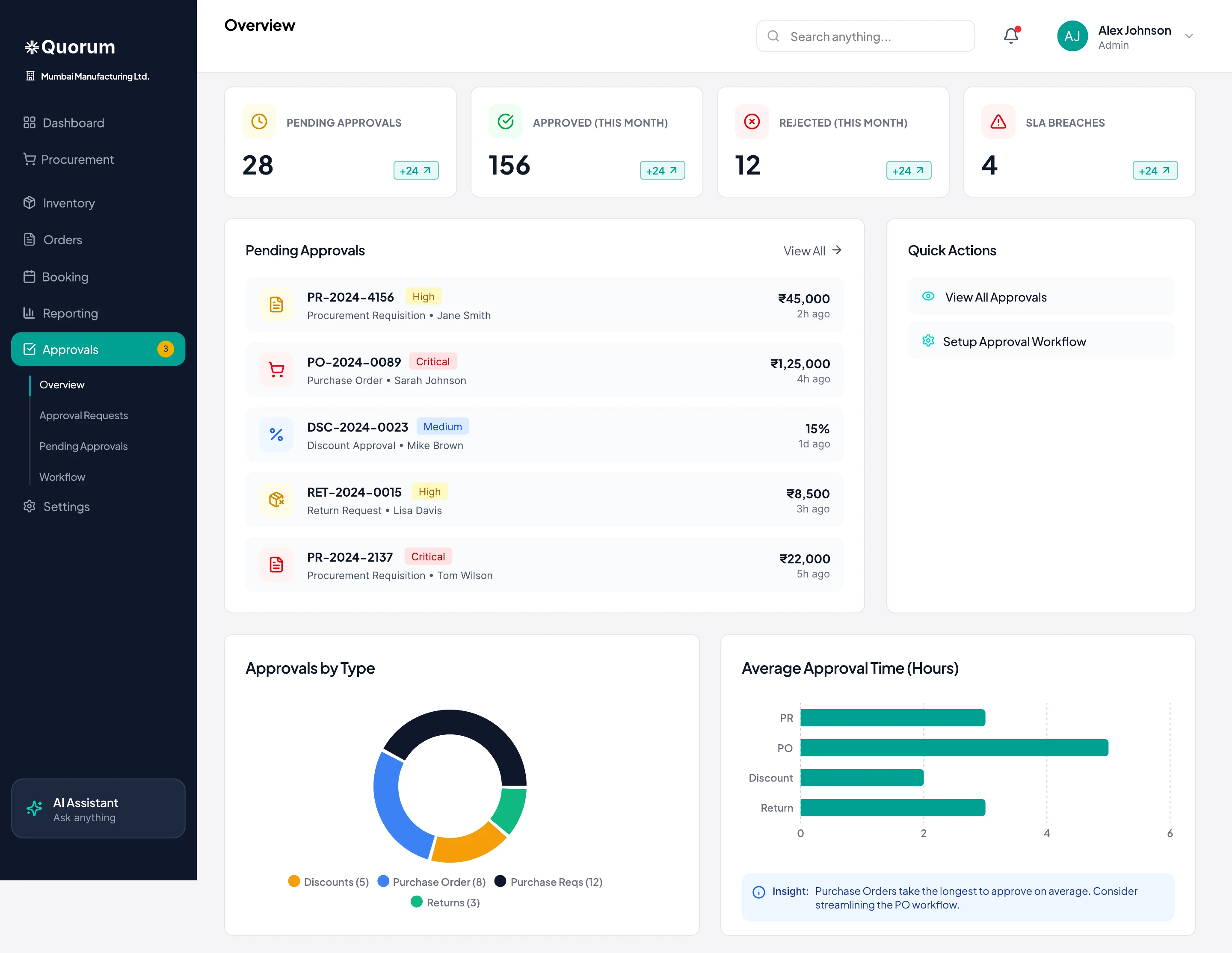
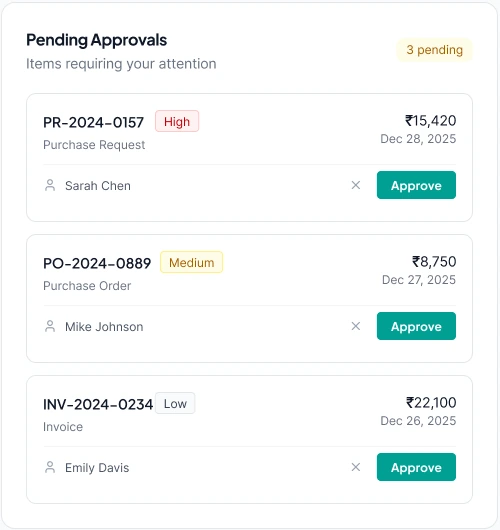
Managers need to clear routine requests fast. A full review on a busy dashboard is one misclick away from releasing the wrong purchase order.
The dashboard card shows priority, amount and requester, with approve and dismiss for routine items. Anything that needs checking opens Approvals, where the full request and audit trail sit together.
 Sneak peek
 Sneak peek
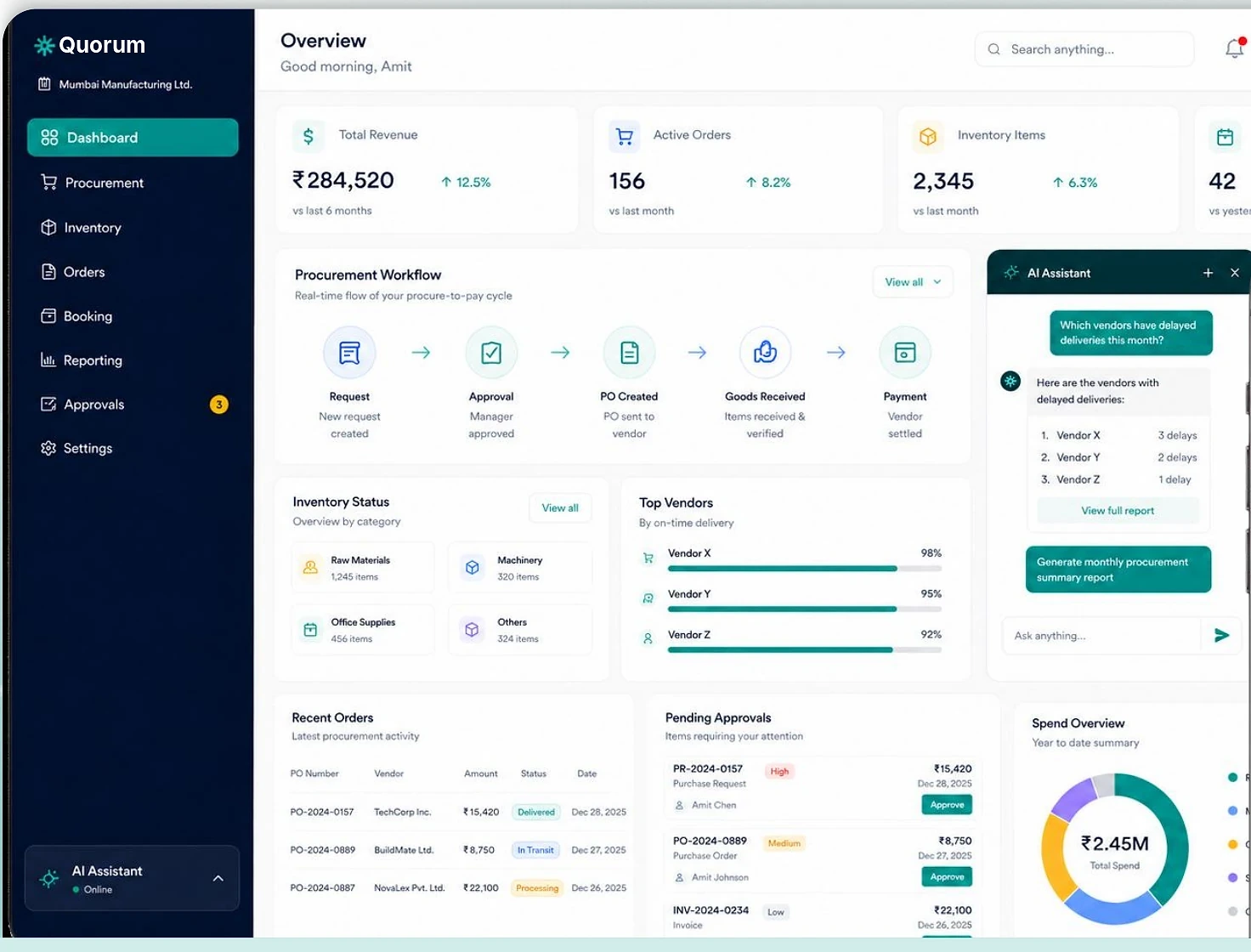
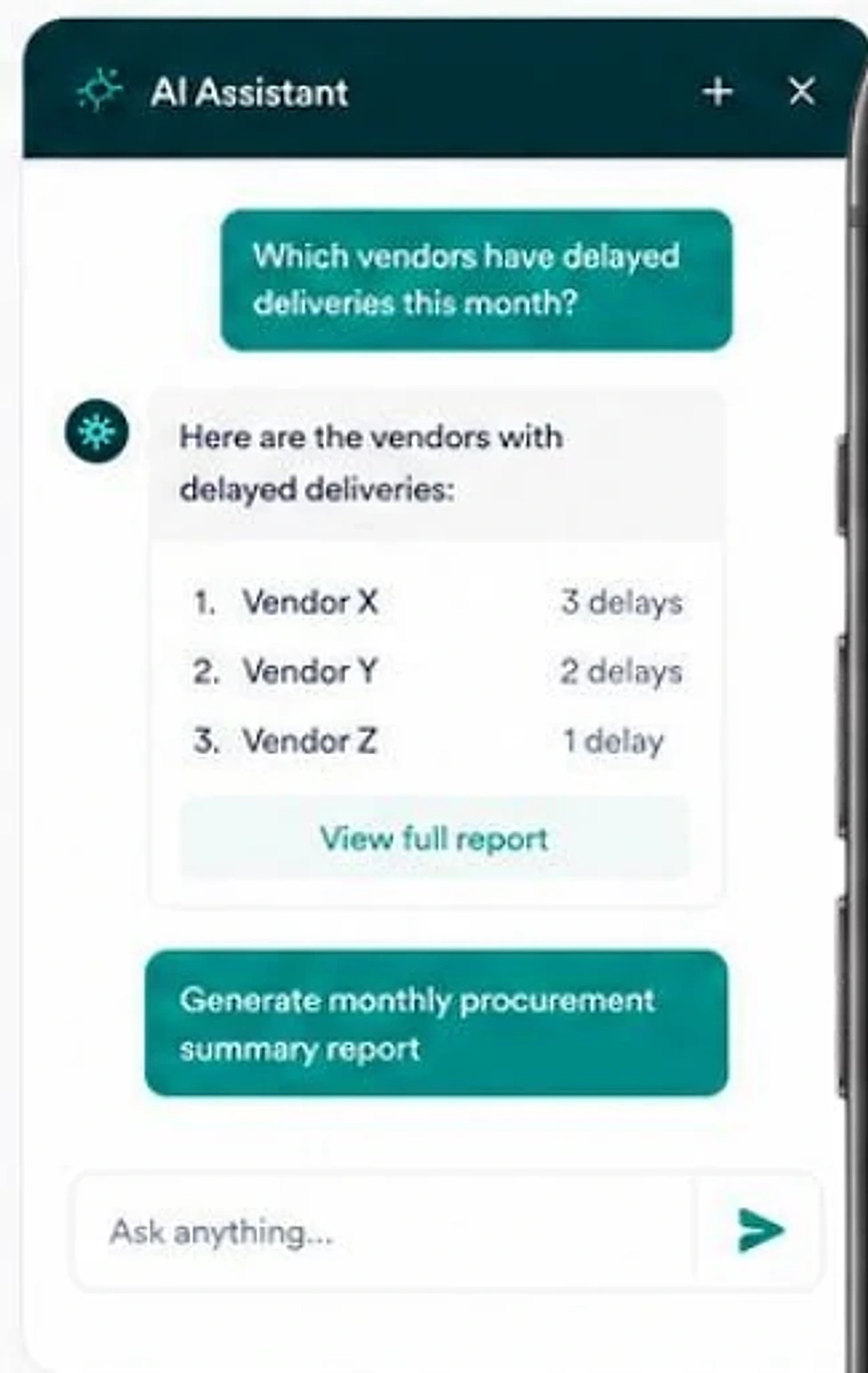
The PRD asked for AI chat that opens at the side, not floating, so people can keep using the tool while they ask.
A permanent entry at the foot of the sidebar, a drawer that leaves the data visible, suggested prompts for common questions, and answers that link back to the real report.
 Sneak peek
 Sneak peek
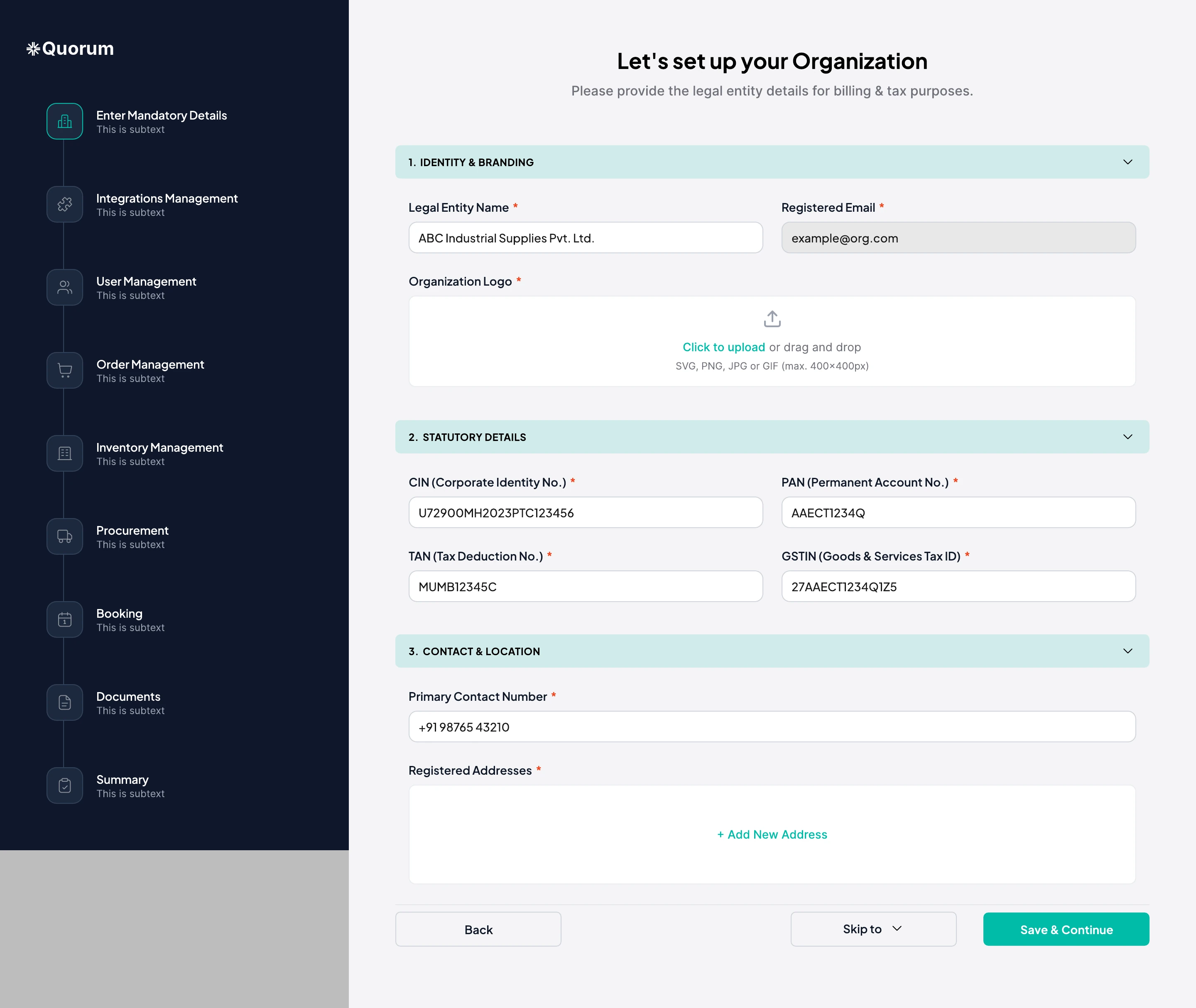
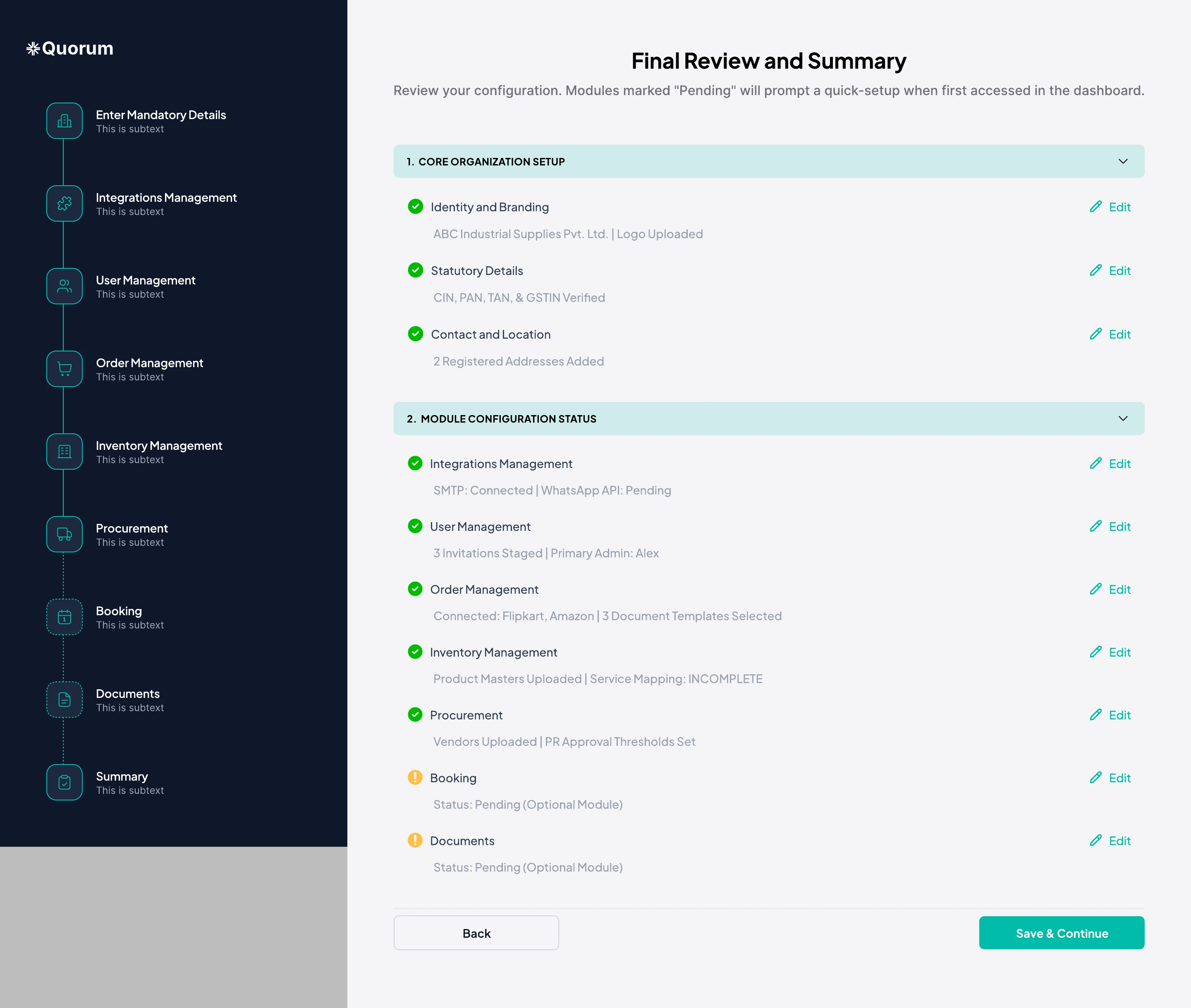
The PRD listed ten setup sections, from PAN and CIN to vendor masters and price lists. Asking for all of them up front stalls a trial.
Organization details are required. Every module setup is optional, skippable and resumable from a left-hand checklist. A final review lets people edit any section before they start.
 Sneak peek
 Sneak peek
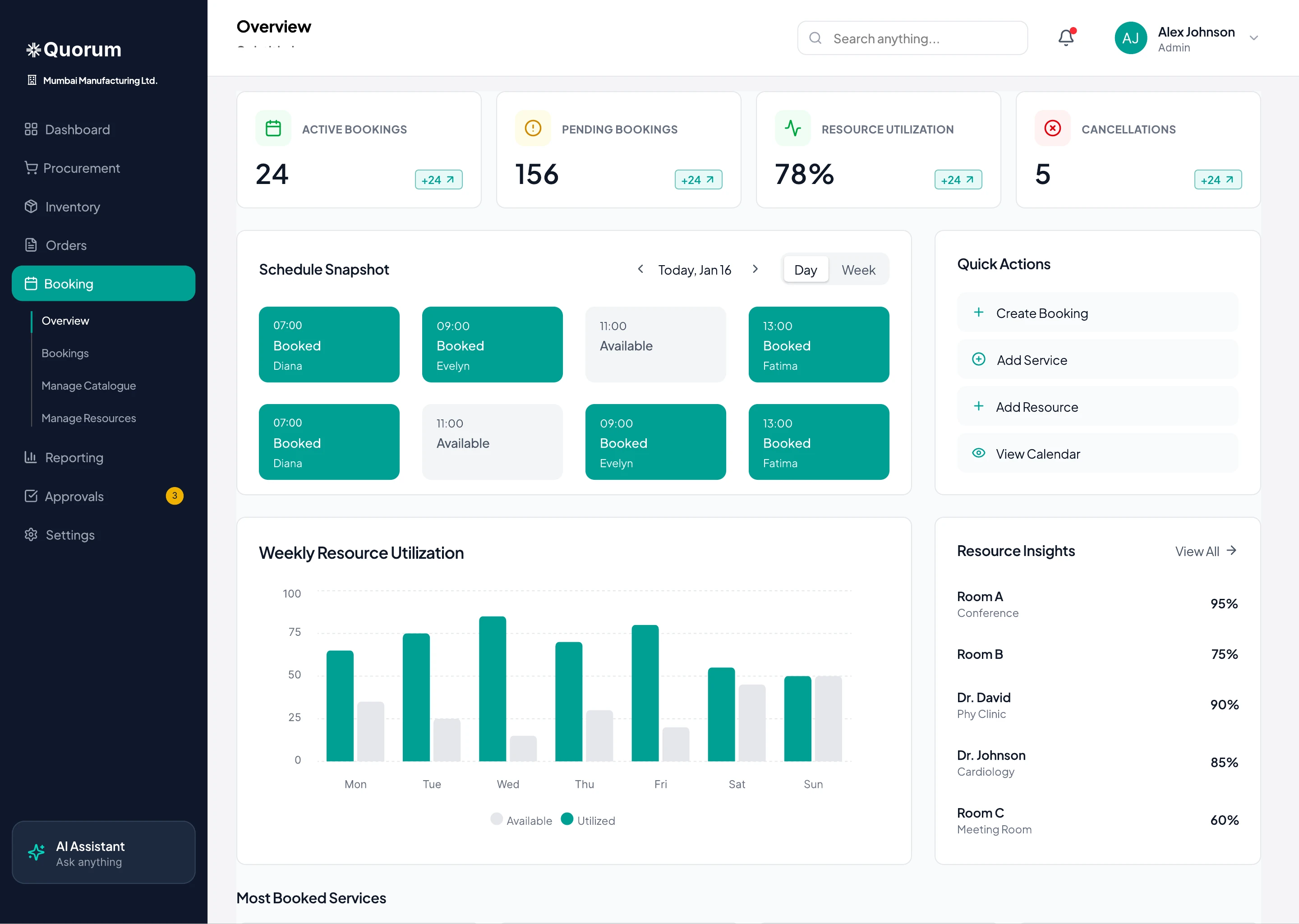
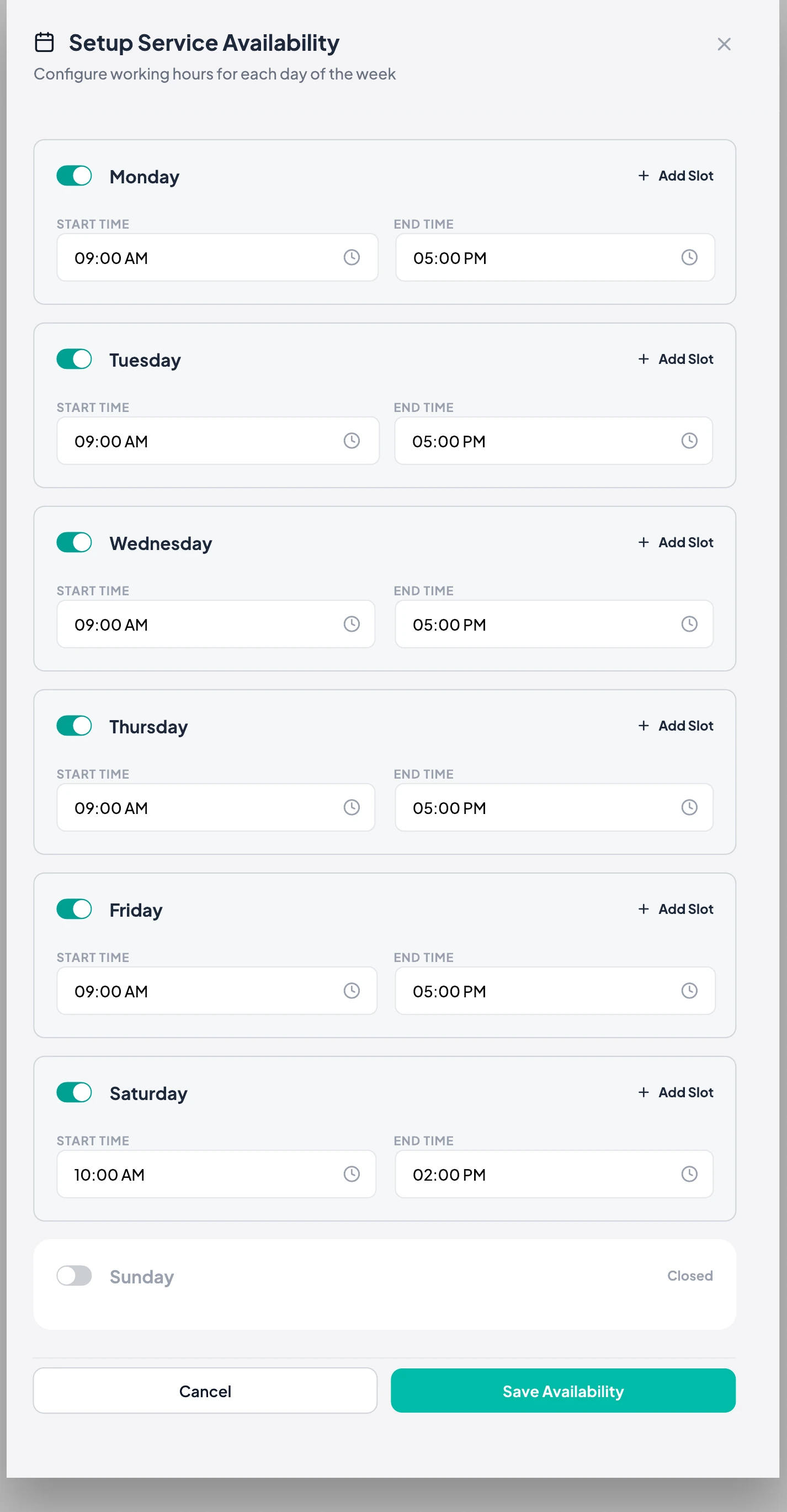
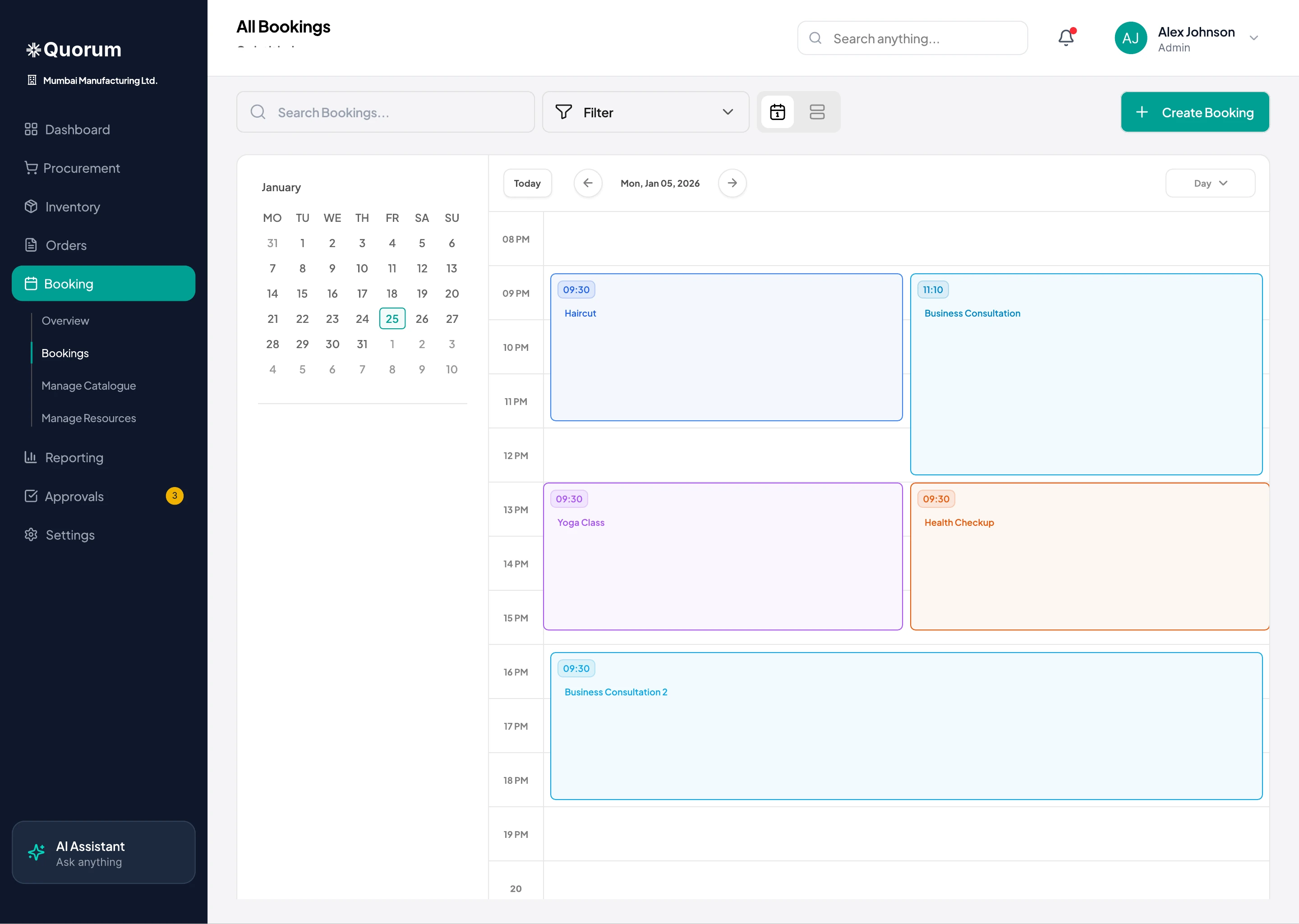
Goods tools treat labour as a cost line. Booking tools can't link a staff member, a room and a machine to one slot.
Staff, rooms and equipment are all “resources” with weekly availability. A booking checks every resource it needs, and the catalogue holds products and services side by side.
 Sneak peek
 Sneak peek
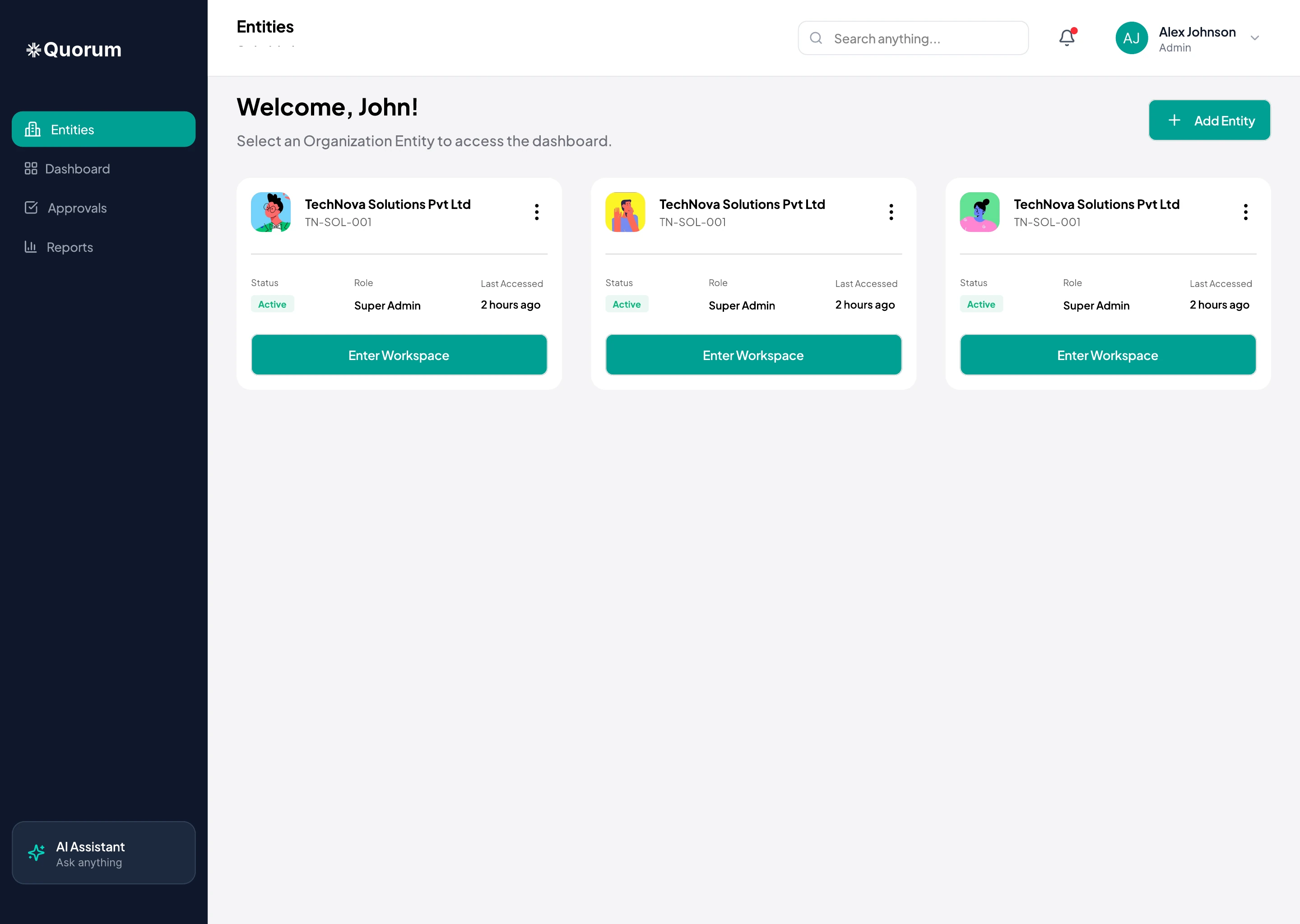
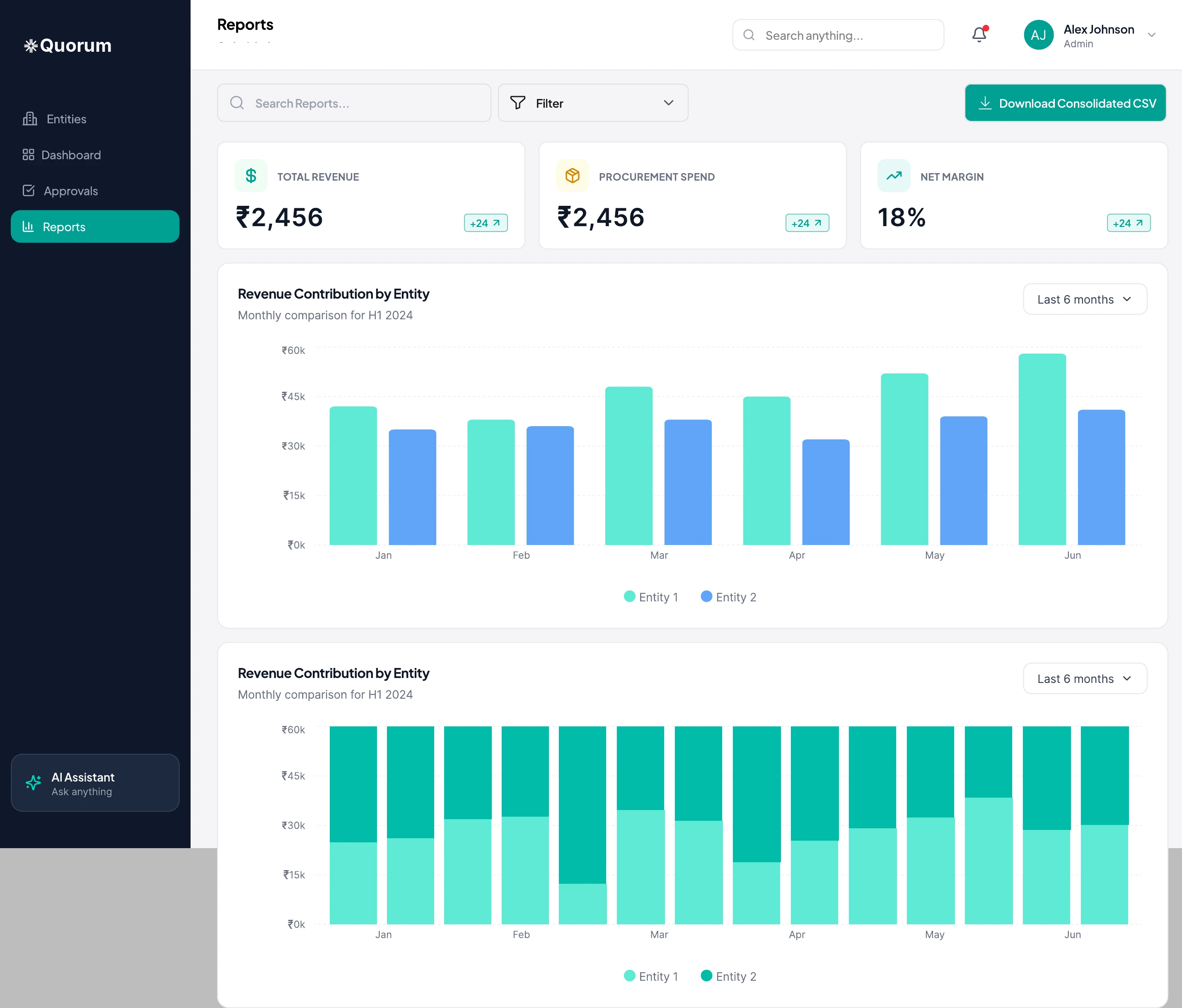
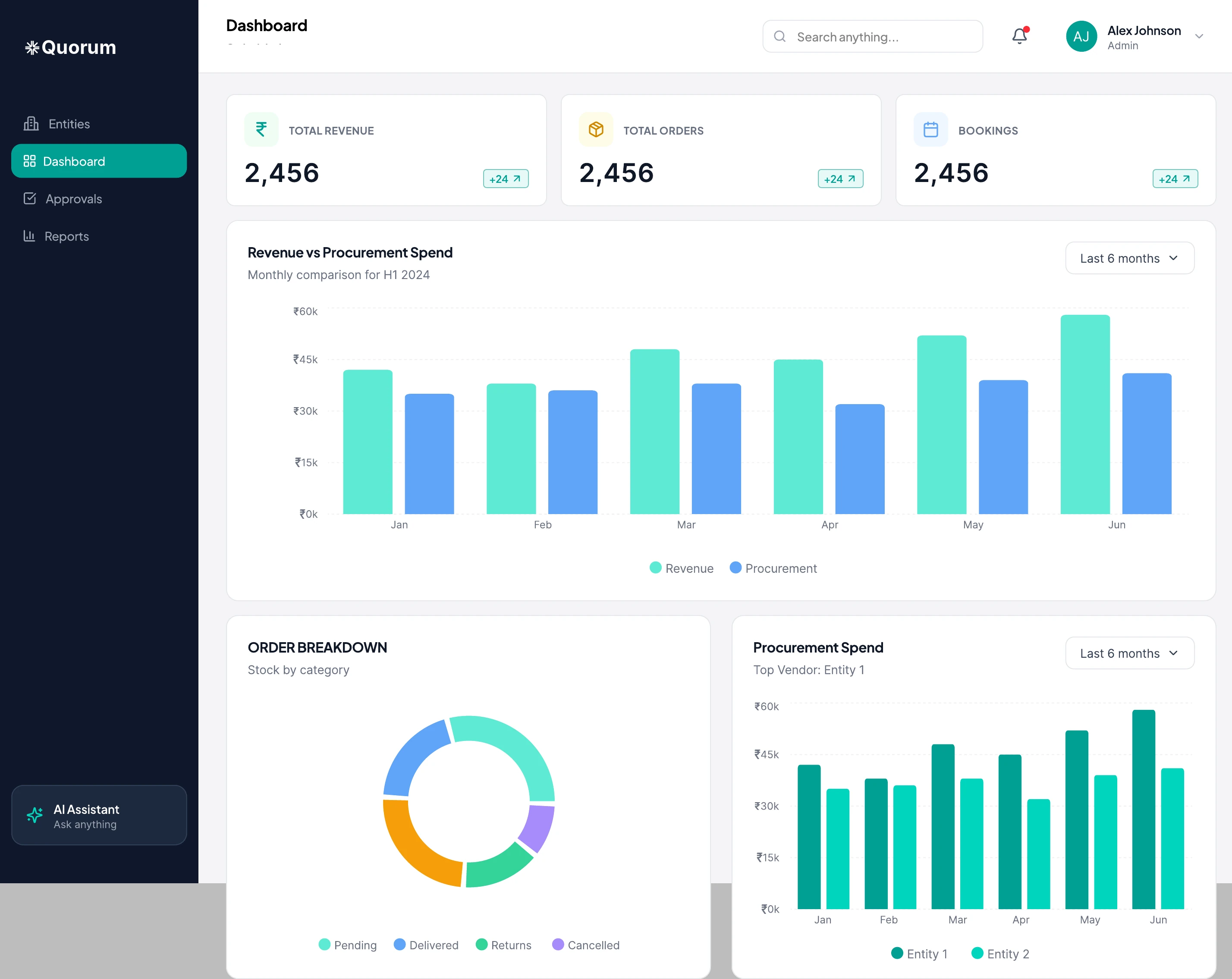
Owners with several businesses log in and out of each to compare them.
They land on an entity picker with a consolidated dashboard and reports that compare entities side by side. Approvals are pooled across entities.
 Sneak peek
 Sneak peek
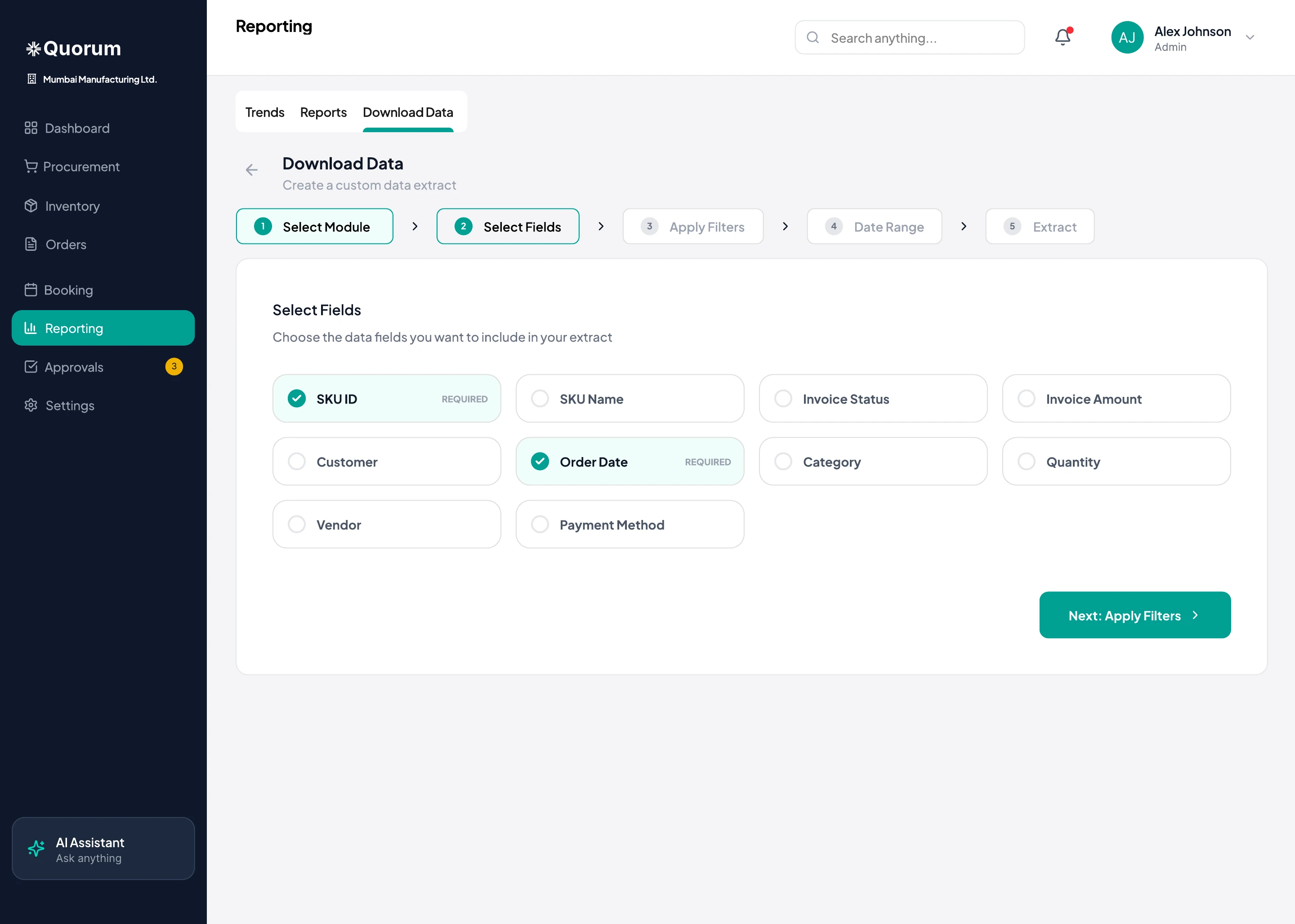
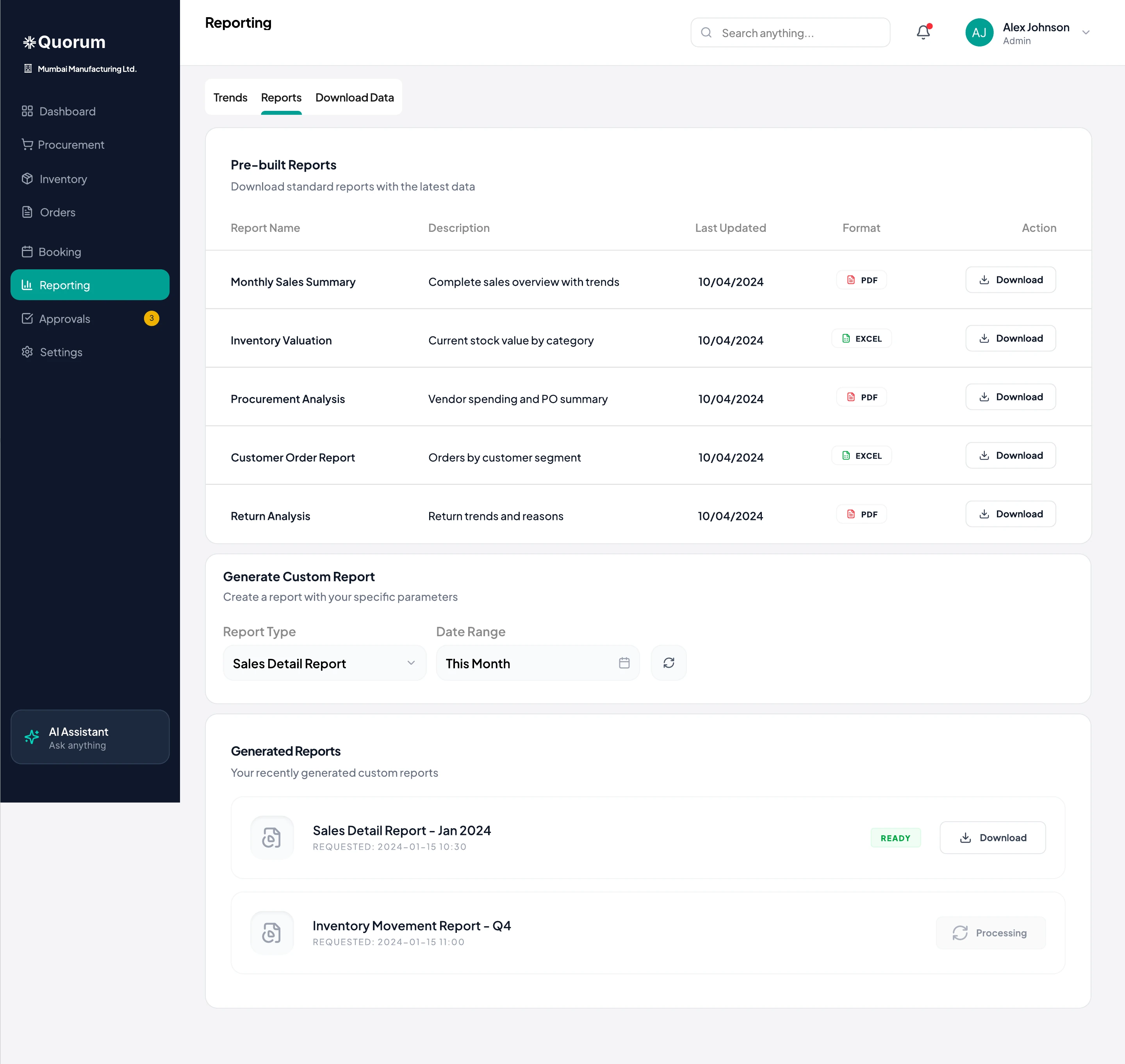
A blank “build your report” screen asks owners to think like analysts.
Pick a module, then fields, filters and a date range, then review and download a CSV. Pre-built reports cover the common cases.
 Sneak peek
 Sneak peek
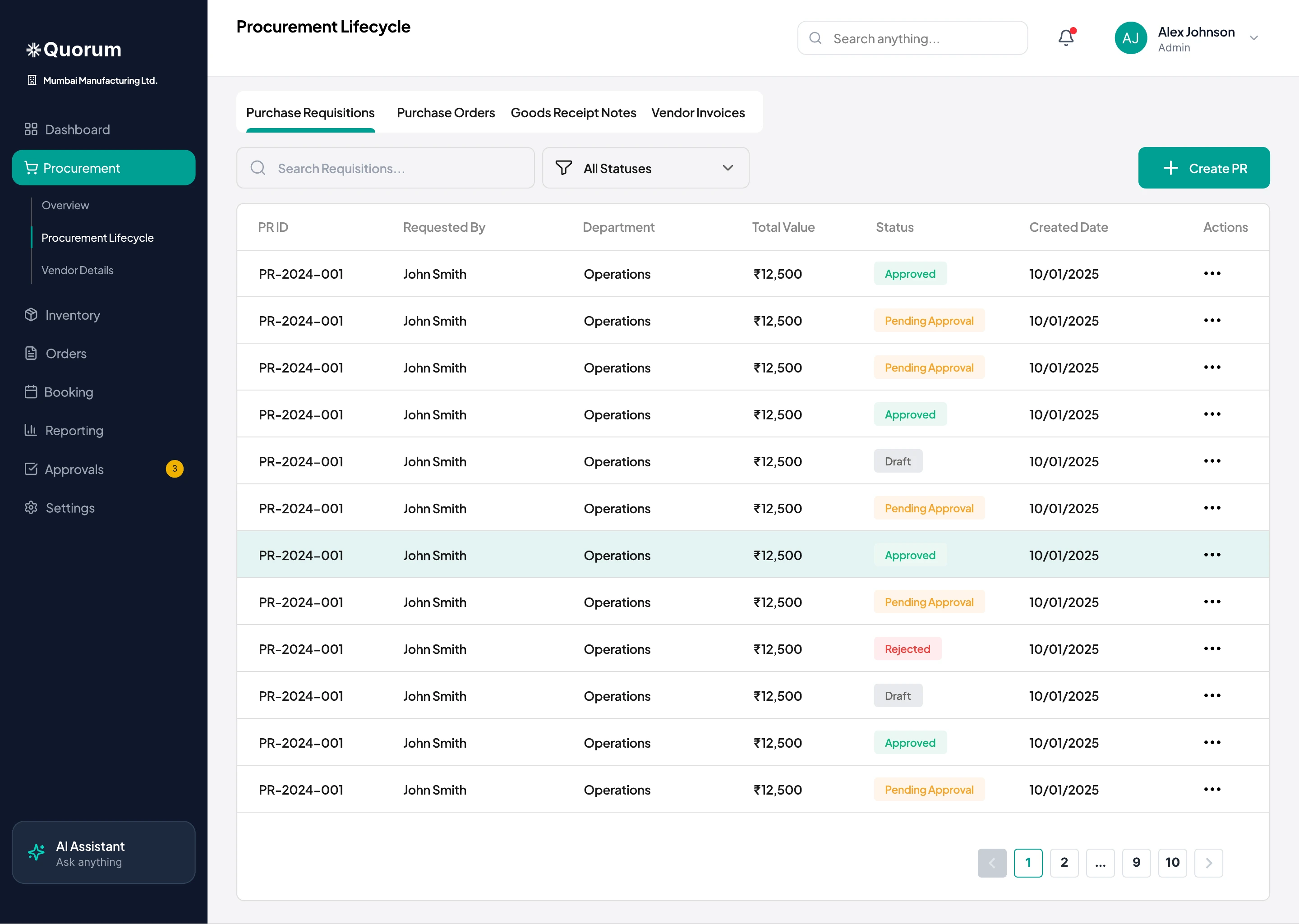
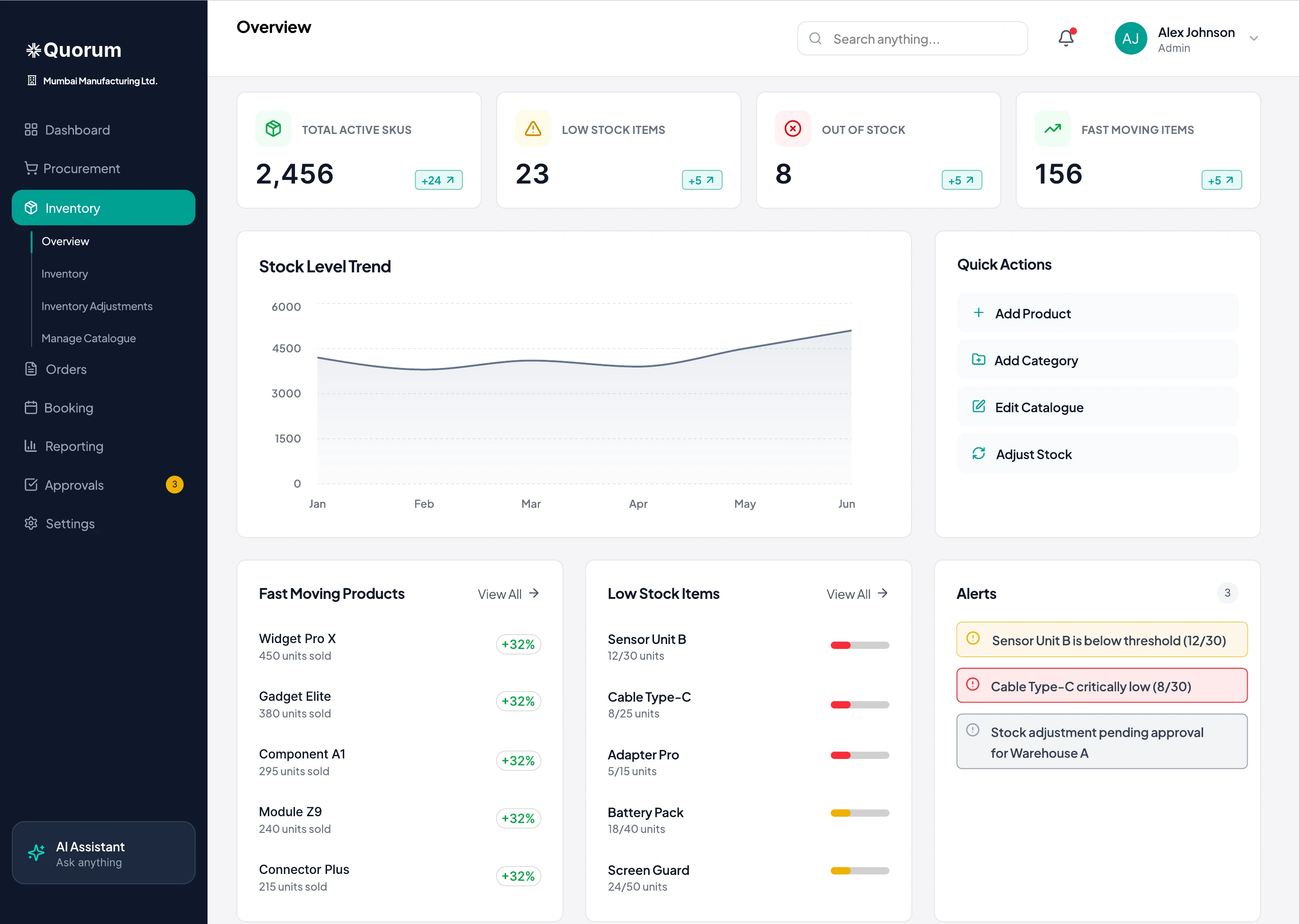
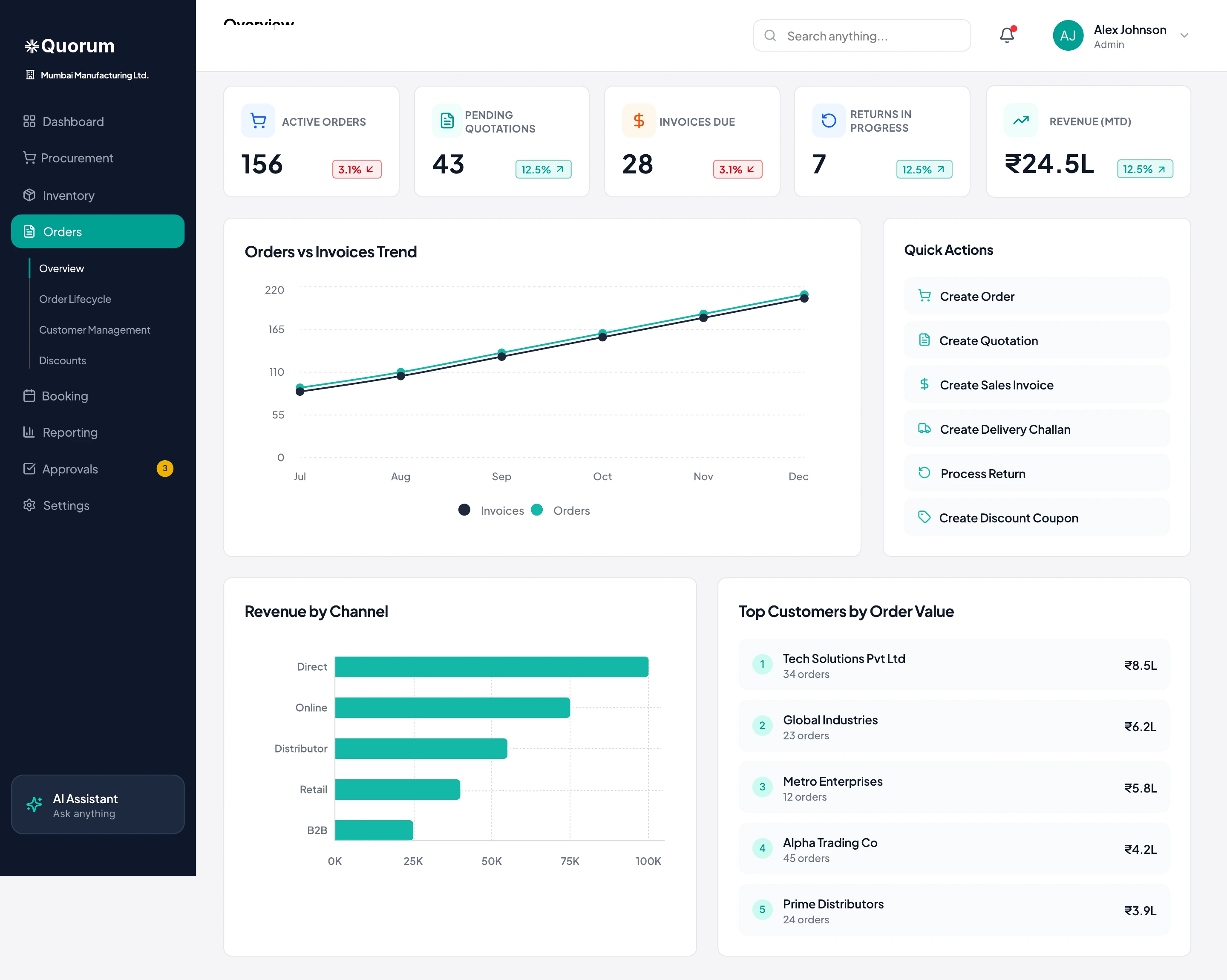
Every module opens on its numbers and quick actions, then lists, then floating forms.
06 · Responsive & visual system
I designed every dashboard screen and every website page for mobile, tablet and desktop. Owners check numbers on the move, and store staff receive goods with a phone in hand.
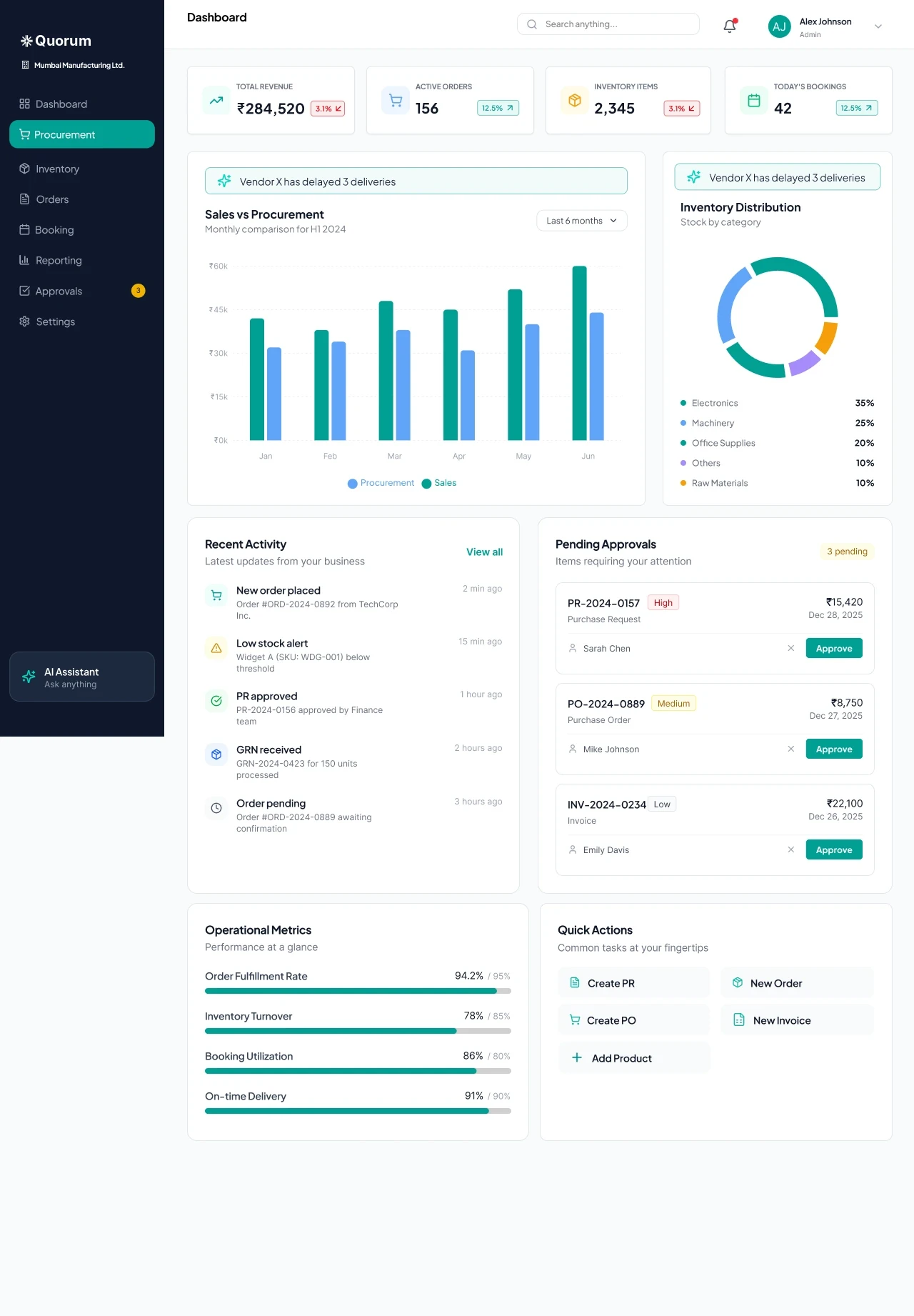
Dashboard, desktop. Two-column widgets beside a fixed sidebar.
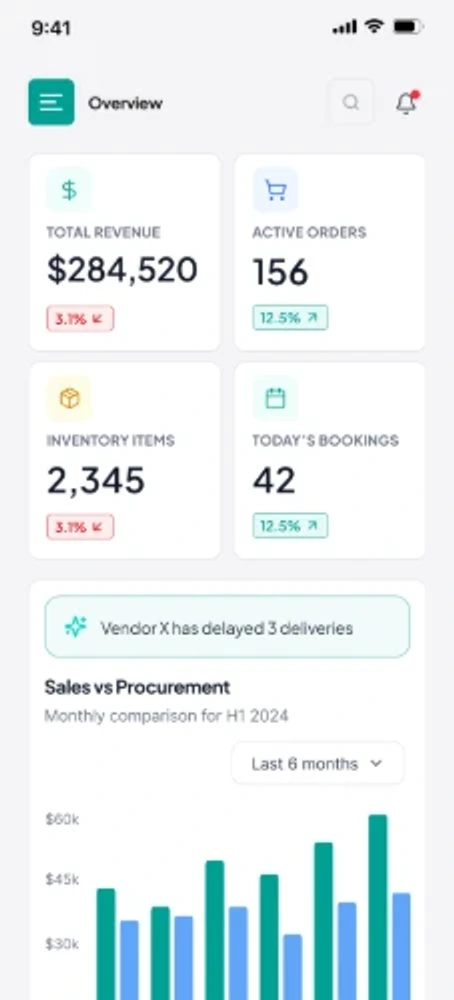
Dashboard, mobile. KPIs in a 2×2 grid, everything else in one column. Approve becomes a full-width button.
Full sidebar, KPI row, side-by-side widgets and panels that slide in over lists.
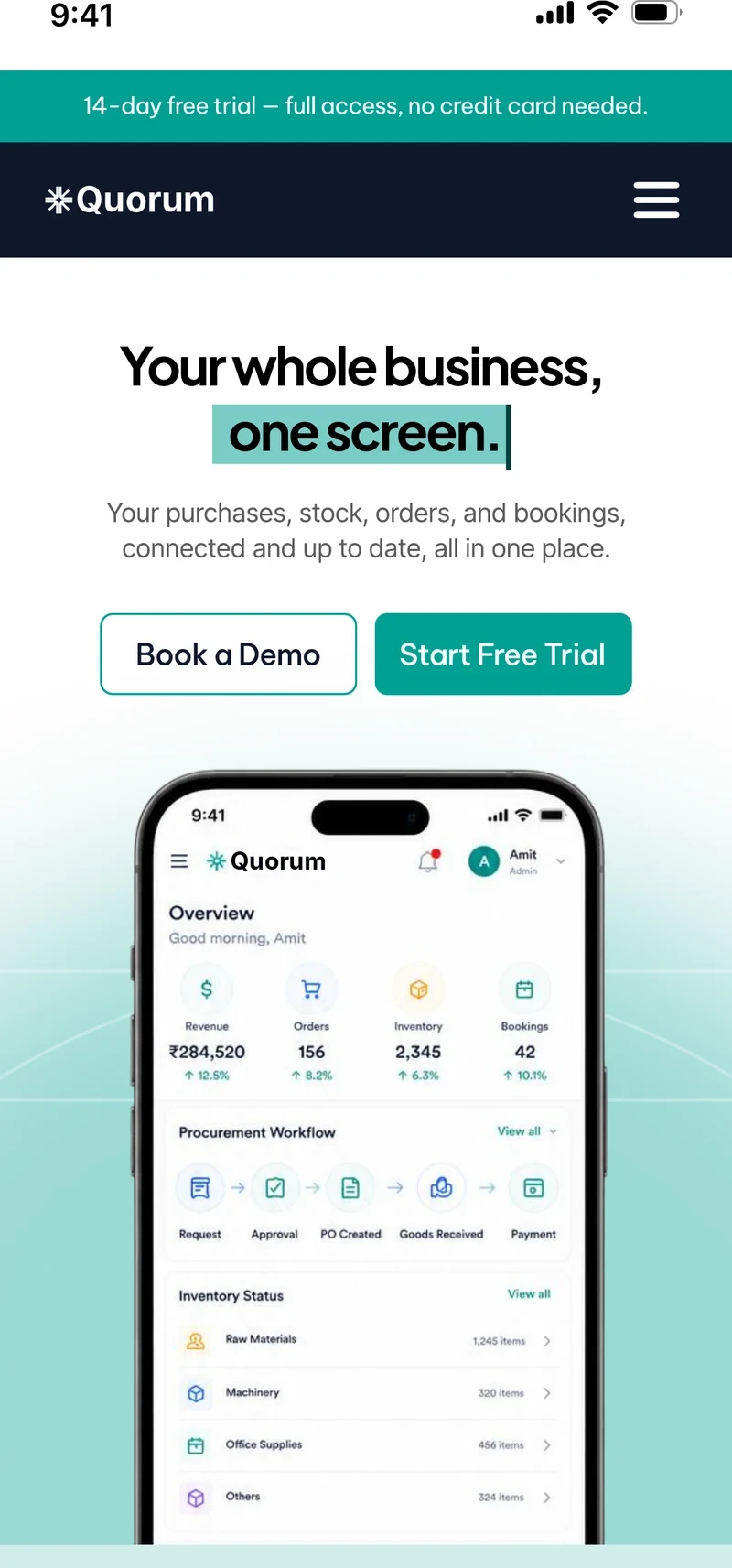
The same modules reflowed for touch, for counters and receiving desks.
The sidebar becomes a menu button, KPIs sit in a 2×2 grid, and widgets and cards stack into a single column.
ERP screens are dense, so the palette stays quiet and lets status colours and the teal action colour stand out.
Navy holds the sidebar and footer. Teal marks every primary action and selected state, and nothing else.
The same five states across PRs, POs, orders, bookings and approvals, so a colour always means the same thing.
07 · Marketing website
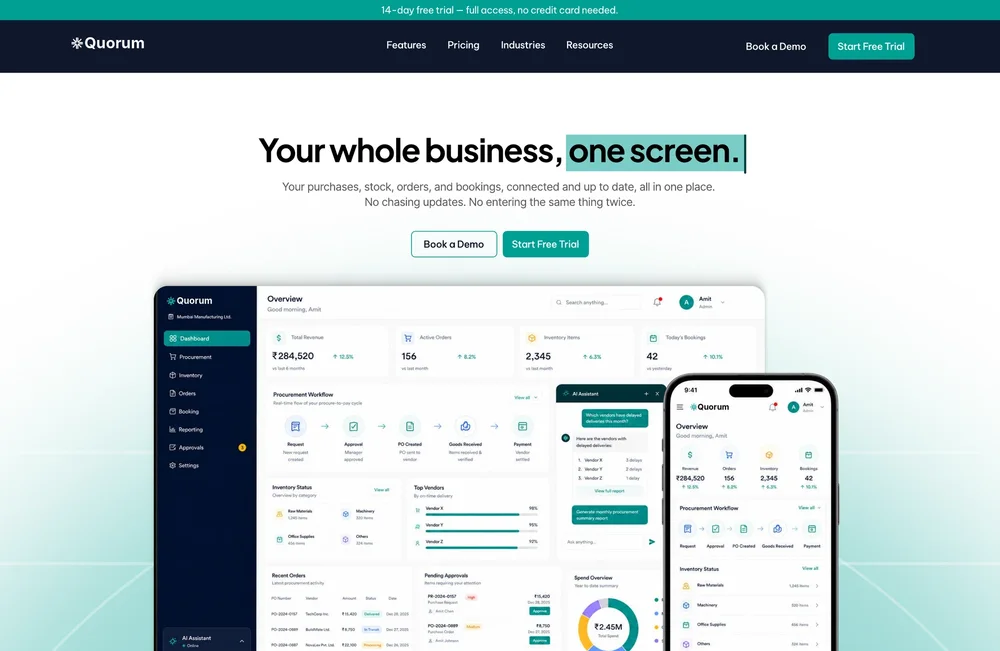
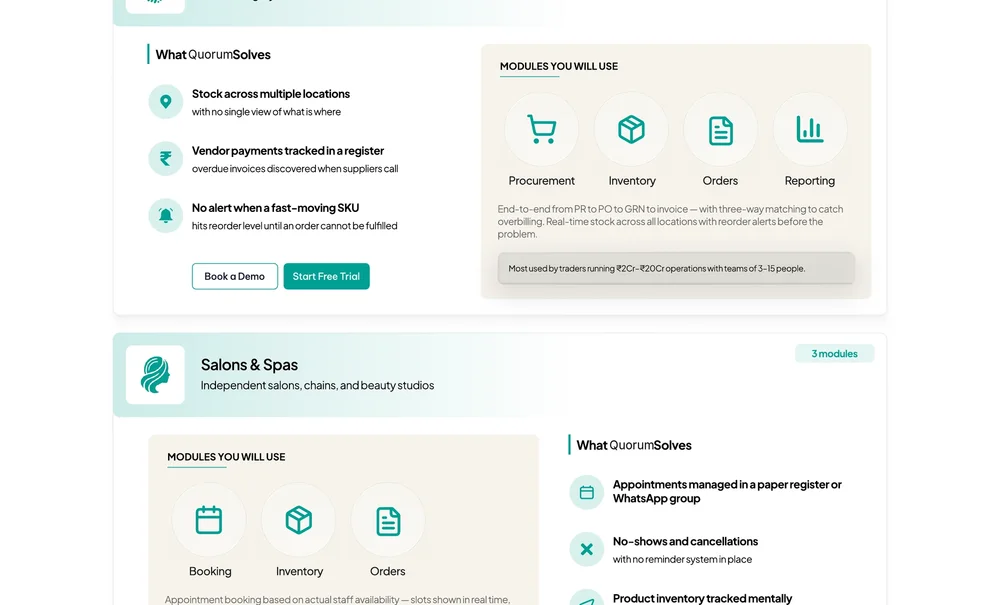
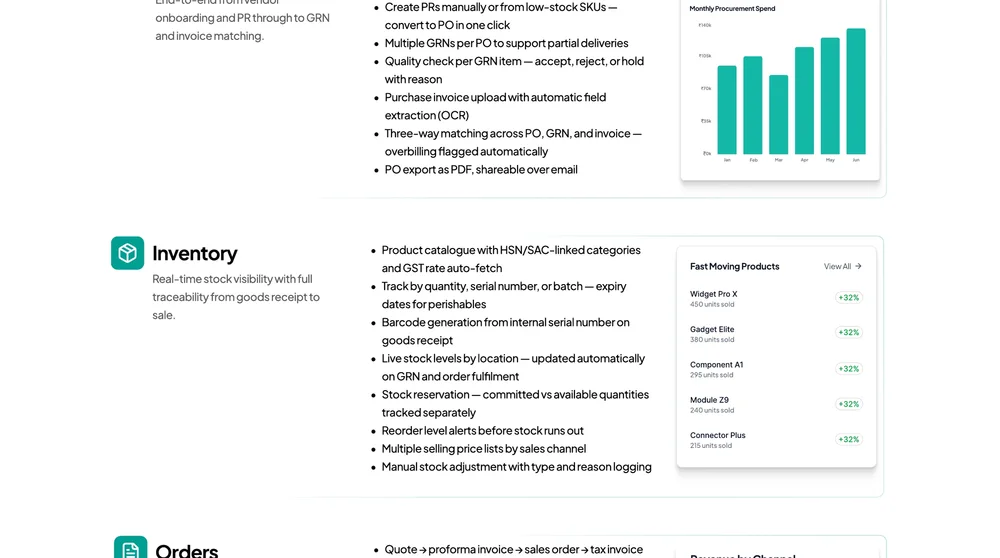
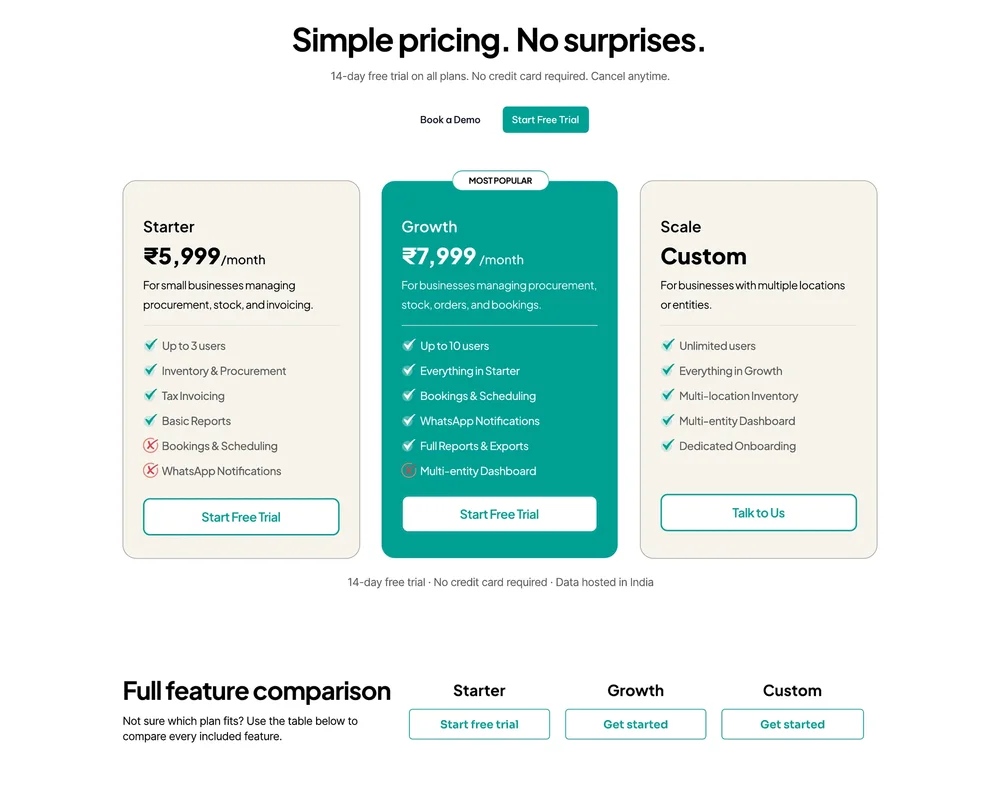
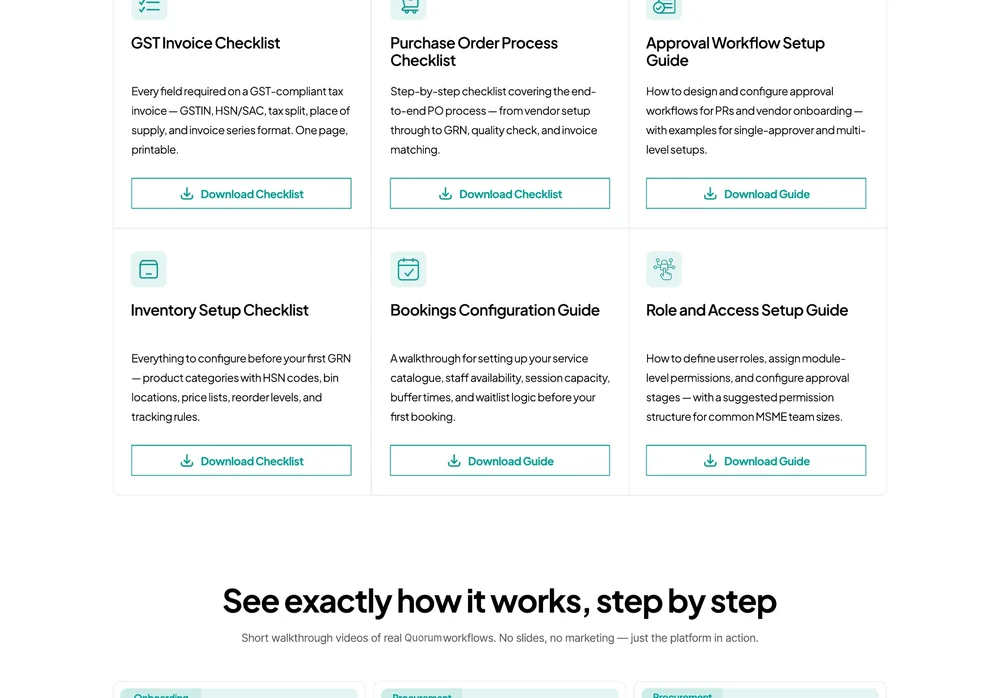
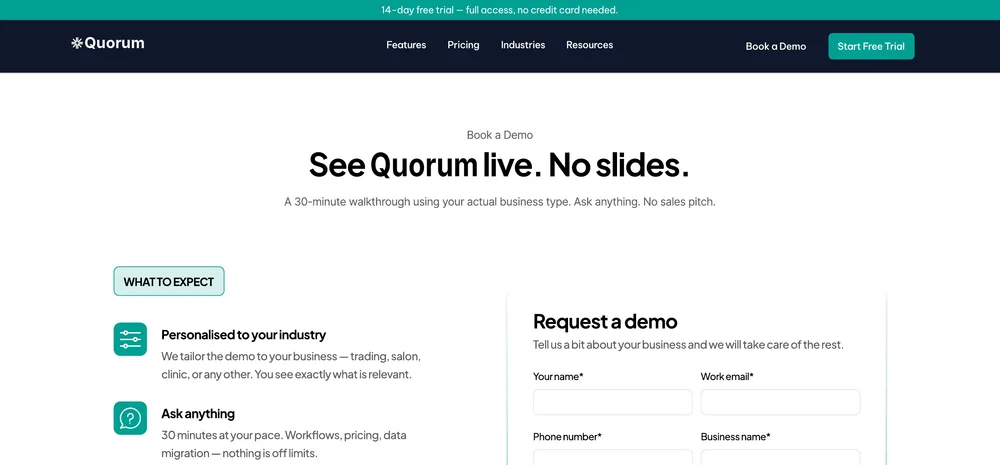
I designed the marketing site in the same visual language as the app. It leads with the “one screen” promise, then shows each industry the modules it would use. Six pages, laid out as one board.
08 · Outcome & reflection
Quorum is in development, so there is no usage data yet. This is what I delivered, and the metrics I'd track from launch to test the design.
It was a pleasure working with Yashita for our website and SaaS platform design. She was extremely professional and understood our requirements very quickly. She delivered on a range of design requirements single-handedly, on time and with extremely high quality output. I would definitely work with Yashita in the future as well and would recommend everyone reaching out to her for all design requirements.
Writing the glossary before the screens gave everyone one meaning for each term, and it decided the labels on screen.
One shell, one panel pattern and one status language let me cover eight modules and three breakpoints alone.
I'd run task-based sessions with store managers and owners: receive a delivery, raise a PO, finish onboarding.
Quorum · Product design case study · Product and client names changed for confidentiality